
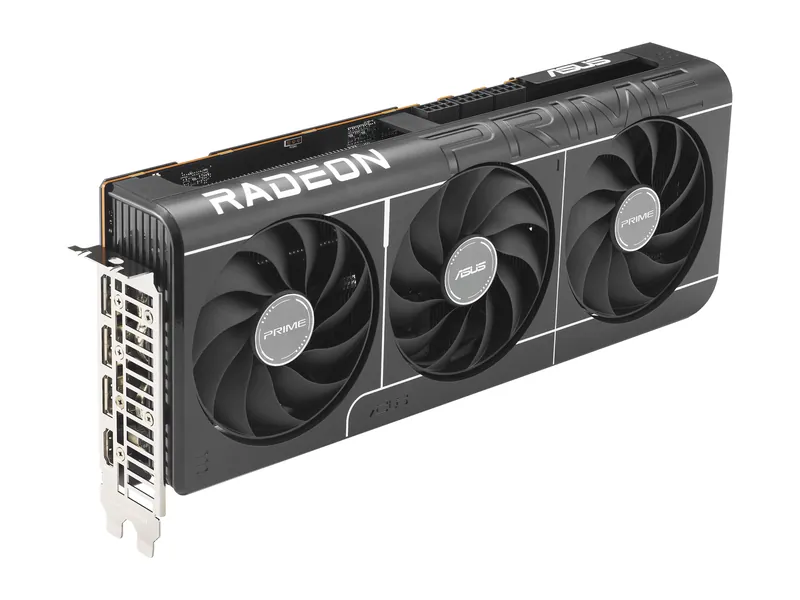
Best 16GB raster gaming plus ROCm or Vulkan alternative
RX 9070 XT (ASUS Prime)
16GB, near-RTX 5070 Ti raster speed, and a smaller premium over MSRP.
RX 9070 XT · 16GB GDDR6 · 256-bit · 2.5-slot
Buying guide · Local AI
We may earn a commission when you buy through our links.
Quick answer
Choose an RTX 5070 Ti for a new 16GB CUDA build, an RTX 5070 for smaller 7B to 8B Q4 models, or Radeon only with a confirmed backend. Keep a working 24GB card when your model needs more than 16GB.
16GBVRAM tier for local AI
16GB, near-RTX 5070 Ti raster speed, and a smaller premium over MSRP.
RX 9070 XT · 16GB GDDR6 · 256-bit · 2.5-slot
01Best 16GB raster gaming plus ROCm or Vulkan alternative⚡ Check ATX 3.1 PSU & Case Fit →
Choose Radeon after confirming your software.
ASUS Prime Radeon RX 9070 XT OC Edition 16GB · 1 of 1
RX 9070 XT · 16GB GDDR6 · 256-bit · 2.5-slot
Get it if You also play rasterized games and have verified the RX 9070 XT with your operating system and ROCm or Vulkan application. It has 16GB GDDR6, up to 640 GB/s bandwidth and 304W reference TBP.
Skip it if Your tool requires native NVIDIA CUDA, or you cannot verify the exact AMD GPU and software versions. This ASUS board needs three 8-pin connections and a manufacturer-recommended 750W PSU.
16GB, near-RTX 5070 Ti raster speed, and a smaller premium over MSRP.
| GPU | AMD Radeon RX 9070 XT · 64 compute units (AMD) |
|---|---|
| VRAM | 16GB GDDR6 · 256-bit · 640 GB/s (AMD) |
| Memory bandwidth | 640 GB/s (AMD) |
| 1440p raster | 116.5 fps avg, 1440p ultra (Tom's Hardware hierarchy) |
| 1440p ray tracing | 55.5 fps avg, 1440p ultra (Tom's Hardware hierarchy) |
| Boost clock | Up to 3030 MHz in OC mode (ASUS) |
| Board power | 304W total board power (AMD reference) |
| Power connectors | 3× 8-pin (ASUS) |
| Recommended PSU | 750W (ASUS) |
| Size | 312 × 130 × 50 mm · 2.5 slots (ASUS) |
| Outputs | 1× HDMI 2.1b · 3× DisplayPort 2.1a (ASUS) |
| Launch MSRP (GPU) | See the linked launch source. |
We selected these three catalog cards by VRAM capacity, theoretical memory bandwidth, supported software backends, exact board dimensions and power requirements. We have not benchmarked their local AI performance. The ASUS and GIGABYTE RTX 5070 Ti boards share a GPU and memory tier; this guide establishes no measured speed, noise or temperature advantage between them.
The best GPU for local AI is the one that fits the model you will use and runs its software. Choose the 16GB RTX 5070 Ti when CUDA is required and that capacity is sufficient. Keep a working 24GB card when your model needs its extra memory. Compare RTX 5070 Ti versus RX 9070 XT for the gaming trade-offs, and use which graphics card to buy for broader desktop needs.
| Exact board | Memory | Length | Power connection | PSU guidance |
|---|---|---|---|---|
| ASUS TUF RTX 5070 Ti OC | 16GB GDDR7 | 329 mm | One 16-pin | 850W |
| GIGABYTE RTX 5070 Ti WINDFORCE OC SFF | 16GB GDDR7 | 304 mm | One 16-pin | 750W |
| ASUS Prime RX 9070 XT OC | 16GB GDDR6 | 312 mm | Three 8-pin | 750W |
ASUS TUF Gaming RTX 5070 Ti OC. ASUS specifies one 16-pin power connector, an 850W PSU recommendation and a 329 × 140 × 62.5 mm cooler. We have not verified a U.S. offer for this exact card.
GIGABYTE RTX 5070 Ti WINDFORCE OC SFF. GIGABYTE specifies one 16-pin power connector, a 750W PSU recommendation and a 304 × 126 × 50 mm card. We have not verified a U.S. offer for this exact card.
| Memory tier | Theoretical bandwidth | Model planning starting point | Main limitation |
|---|---|---|---|
| RTX 5070: 12GB GDDR7 | 672 GB/s | Many 7B to 8B Q4 models, with room checked for the chosen context | A longer context or larger batch can exhaust VRAM |
| RTX 5070 Ti: 16GB GDDR7 | 896 GB/s | Many 14B Q4 models; selected 32B lower-bit or offloaded configurations | A typical dense 32B Q4 model is too large to fit fully with runtime overhead |
| RX 9070 XT: 16GB GDDR6 | Up to 640 GB/s | Models within a 16GB budget on a verified ROCm or Vulkan backend | Native NVIDIA CUDA applications need a different card |
| Used RTX 3090 or RTX 4090: 24GB GDDR6X | Check the exact GPU specification | More room for larger quantized models and KV cache | Condition, power, cooling and software compatibility still need checking |
NVIDIA’s specifications give the RTX 5070 Ti 8,960 CUDA cores and a 300W TGP, versus 250W for the RTX 5070. The bandwidth figures follow memory data rate multiplied by bus width and divided by eight: 28 Gbps × 256 / 8 = 896 GB/s, and 28 × 192 / 8 = 672 GB/s. AMD lists up to 640 GB/s and 304W TBP for the RX 9070 XT. These reference power figures do not measure the exact OC board’s draw.
The ASUS Dual RTX 5070 OC is included for reference. We have not verified a U.S. retailer with this exact board in stock. ASUS recommends a 750W PSU for this board.
VRAM sets the capacity ceiling. Bandwidth describes how quickly data can move, but it cannot make an oversized model fit. The difference between 896 and 672 GB/s does not imply the same percentage improvement in tokens per second. Prefill, decode, quantization kernels and offload have different bottlenecks.
Start with the exact model artifact, then add KV cache, runtime buffers and memory used by your desktop. At an idealized four bits per parameter, weights alone occupy about 4GB for 8B, 7GB for 14B and 16GB for 32B, in decimal units. These are arithmetic lower bounds, not measured VRAM requirements. Quantization metadata and tensors stored at higher precision add overhead.
That makes 12GB a useful starting point for many 7B to 8B Q4 models, and 16GB a more flexible tier for many 14B Q4 workloads. Neither is a guarantee at arbitrary context length. For 32B, check a lower-bit quantization’s quality and actual size or plan CPU offload. A dense 32B Q4 model generally needs more than 16GB for full GPU residency. Compare the official Qwen 14B and 32B GGUF artifacts, then check your runtime’s allocation.
The DeepSeek V4.1 Flash RAM requirements report covers a much larger model. A small active-parameter count does not mean only those weights need to be stored. Buying a 16GB GPU does not make the full model fit. System RAM planning is a separate decision; CPU offload uses system memory and can reduce throughput.
llama.cpp supports quantized inference with CUDA, HIP and Vulkan backends, plus CPU/GPU hybrid execution. Check the backend used by your application rather than assuming every frontend exposes the same features.
For a CUDA-dependent workflow, choose one of the NVIDIA cards. With vLLM, verify the GPU installation requirements, driver, CUDA or ROCm build, model architecture and quantization support. A GGUF configuration that works in llama.cpp is not proof that the same setup works in vLLM. Treat a 16GB RTX 5070 Ti as a capacity-limited starting point; it will not handle many concurrent requests on larger models.
The RX 9070 XT is an alternative for gaming plus a confirmed ROCm or Vulkan workflow. Consult AMD’s Linux support matrix for your exact GPU, operating system and software release. It is not a drop-in substitute for native NVIDIA CUDA. Neither gaming FPS nor advertised AI TOPS establishes local LLM speed.
A used RTX 3090 is a candidate when 24GB capacity solves a model-fit problem that these new 12GB and 16GB cards cannot. A used RTX 4090 also has 24GB, but the shared capacity does not establish equal compute performance or equal buying value. Compare the actual seller terms, condition and complete system requirements. We have not tested a used board or verified a particular listing’s availability.
Ask for a repeatable memory and sustained-load test, inspect power connectors and cooling, and check the return policy before buying. Keep a healthy 24GB card if it already meets your target. Moving to an RTX 5070 Ti reduces VRAM to 16GB even though the card is newer.
The upstream gpu-unlock project reports community LLM prefill gains of 14% to 36% in selected tests after lifting a restriction on FP16/BF16 tensor operations with FP32 accumulation. Its decode results stay about unchanged where memory bandwidth is the limit. These are community reports from different workloads, not our benchmarks or a guaranteed speed increase for every RTX 3090 or RTX 4090.
The Ada fork has separate RTX 4090 evidence and compatibility limits. Read what the RTX 3090 and 4090 Linux tensor unlock changes before treating a headline throughput gain as a reason to buy. The modules add no VRAM. They do not establish a gaming uplift or a supported upgrade for the RTX 5070 Ti.
These are unofficial low-level Linux modifications. Check the exact board, driver, recovery procedure and warranty terms. Buy for usable capacity and stock performance; experimental unlock results should be a separate decision.
The GIGABYTE WINDFORCE OC SFF 16G measures 304 × 126 × 50 mm. The ASUS TUF measures 329 × 140 × 62.5 mm. Leave room for airflow, the support bracket and the power connector’s specified cable clearance; card length alone cannot prove fit.
ASUS recommends 850W for this TUF RTX 5070 Ti and 750W for the Prime RX 9070 XT. GIGABYTE recommends 750W for its listed card. These are complete-system recommendations, separate from reference GPU power.
For a high-power used 24GB build, evaluate a quality ATX 3.1 PSU in the 850W to 1000W+ range according to the exact board, CPU, other devices and headroom. This is planning guidance, not a requirement imposed by gpu-unlock. NVIDIA lists 350W GPU power and 750W system power for the reference RTX 3090, and 450W TGP with an 850W minimum PSU for RTX 4090. A suitable older PSU is not automatically disqualified by lacking an ATX 3.1 label; board power, connectors and transient capability matter.
Use the ATX 3.1 PSU guide and GPU/PSU wattage calculator, then follow the higher applicable manufacturer requirement. No PSU rating makes an unsupported modification safe or stable by itself.
Gaming rankings say little about local AI compatibility. Use the 1080p, 1440p and 4K GPU hierarchy for gaming frame-rate tiers, memory and power connectors, then check AI memory and software separately. Adding system RAM does not increase onboard VRAM, and buying two cards does not automatically create one pooled memory space for every application.
It can be enough for many smaller quantized models, including many 14B Q4 configurations. Check the complete runtime allocation at your chosen context and batch size. A model’s download size alone is insufficient.
The RTX 3090’s 24GB is more useful if the model cannot fit within 16GB. The RTX 5070 Ti is a new-card CUDA option when 16GB is sufficient. This guide provides no matched tokens-per-second comparison, so there is no universal speed or value winner.
It cannot run native NVIDIA CUDA as an NVIDIA card does. Choose a supported ROCm, HIP or Vulkan path for your application, or choose NVIDIA when native CUDA is required. Check platform support before buying.
Image credits: RX 9070 XT (ASUS Prime): ASUS.