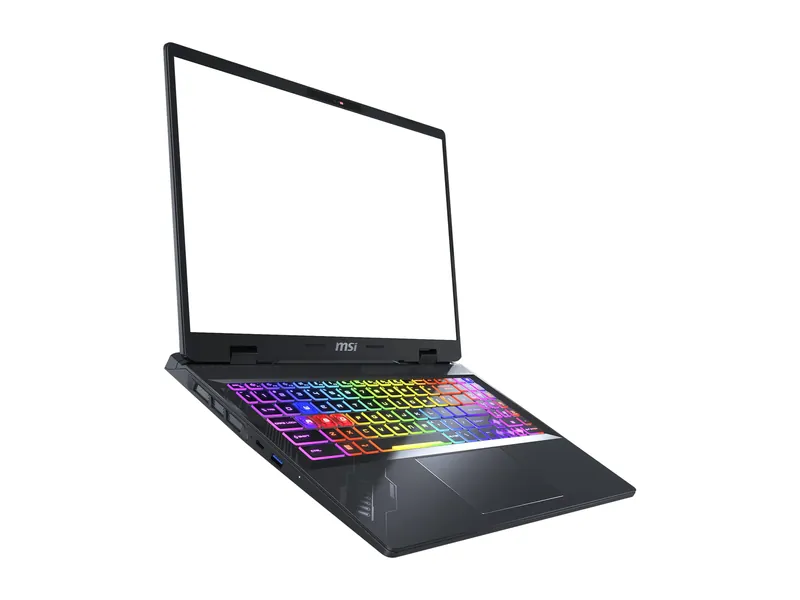
MSI Crosshair A16 HX
The best screen in the group: 2560×1600 at 240Hz, with dual-channel RAM.
Keep 16GB if it meets your games' requirements and the apps you run alongside them. Consider 32GB when that workload needs more room. Check compatibility before spending; the laptop cards below illustrate capacities, not RAM upgrade kits.
We may earn a commission when you buy through our links. As an Amazon Associate I earn from qualifying purchases. Affiliate disclosure
Capacity examples, not a ranking of RAM upgrades.
Jump to the final pick ↓The best screen in the group: 2560×1600 at 240Hz, with dual-channel RAM.
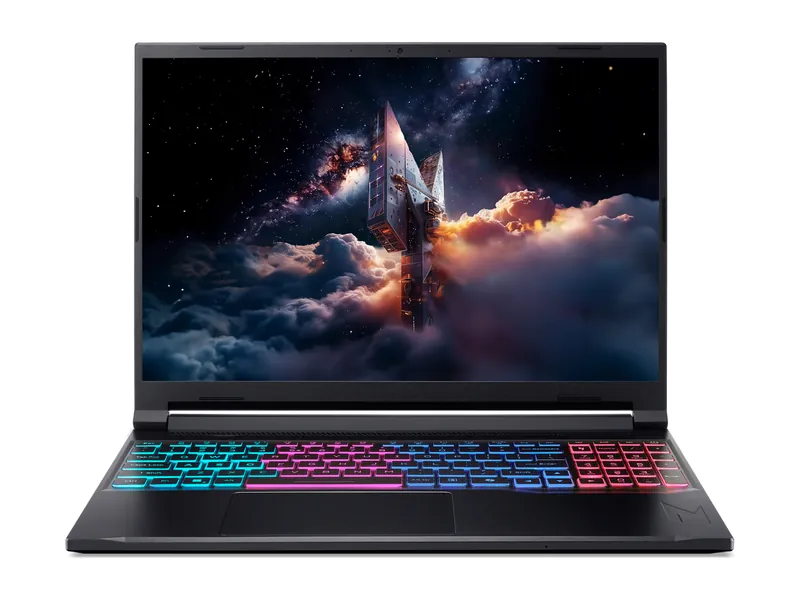
85W RTX 5060, 32GB and a big 76Wh battery. Tom's favorite budget gamer.
MSI Crosshair A16 HX (D8WFKG-090US) · 1 of 2
Get it if You are comparing complete gaming laptops and want to understand a 16GB configuration.
Skip it if You only need memory for your current PC. This card links to a complete laptop, not a RAM kit.
| Exact model | Crosshair A16 HX D8WFKG-090US |
|---|---|
| CPU | AMD Ryzen 9 8940HX, 2.4–5.3 GHz (MSI) |
| GPU | RTX 5060 8GB GDDR7 (MSI) |
| GPU power | Not listed by MSI |
| Memory | 16GB DDR5-5600 as 2×8GB (MSI) |
| Storage | 1TB NVMe SSD (Amazon listing) |
| Display | 16" 2560×1600, 240Hz, 100% DCI-P3 (MSI) |
| Battery | 90Wh, 4-cell (MSI) |
| Weight | 5.51 lb (MSI) |
| Webcam | 720p with shutter (MSI) |
Acer Nitro V 16S AI (ANV16S-41-R2AJ) · 2 of 2
Get it if You are comparing complete laptops and want a manufacturer-listed 32GB example.
Skip it if Your current PC already has enough memory. Do not buy a new laptop merely to add RAM.
| Exact model | ANV16S-41-R2AJ (part NH.QZYAA.001) |
|---|---|
| CPU | AMD Ryzen 7 260 (Acer) |
| GPU | RTX 5060 8GB GDDR7 (Acer) |
| GPU power | Up to 85W max graphics power (Acer) |
| Memory | 32GB DDR5 (Acer) |
| Storage | 1TB PCIe Gen4 SSD; room for a second drive (Tom's Hardware) |
| Display | 16" 1920×1200 IPS, 180Hz (Acer listing, Tom's Hardware) |
| Battery | 76Wh (Acer) |
| Weight | 4.55 lb (Tom's Hardware) |
| Wi-Fi | Wi-Fi 6 (802.11ax) (Acer) |
| Webcam | 720p (Tom's Hardware) |
We use Intel’s RAM selection guidance and Kingston’s capacity guidance, then compare the exact configurations in the linked Acer and MSI specifications. This is research-based advice, not a memory benchmark.
The laptop cards illustrate capacities in our existing catalog. They are not recommendations to replace a working computer just to upgrade its memory.
Keep 16GB or consider 32GB? Keep the capacity that meets your workload. Consider 32GB when your games and open apps need more memory. This is a buying decision, not a promised FPS gain.
Read the requirements for the games you play, then include the browser, voice chat, capture software and other apps you keep open. A minimum requirement is not a promise that your whole workload will fit comfortably.
If your present machine meets those needs, keep its memory. Consider more capacity when you have identified a capacity limit, rather than because a product label calls a kit “gaming.”
Acer lists 32GB DDR5 in ANV16S-41-R2AJ. MSI lists 16GB and 32GB configurations in the Crosshair A16 HX family. Those different laptops do not establish a performance comparison between memory capacities.
A useful capacity comparison holds the game, settings, CPU and graphics card constant. Check whether a review also changed memory speed, timings or module arrangement. Otherwise, an improvement cannot be assigned to capacity alone.
Look at the games and applications behind a benchmark average. A result for one workload does not predict every future game. We do not have evidence for a fixed FPS improvement from moving between 16GB and 32GB.
Our buying preference is simple: cover the workload first. Pay for extra capacity when you can explain what will use it.
Intel distinguishes capacity, speed, timings and memory generations. DDR4 and DDR5 are not interchangeable choices for the same unsupported slot. Check the motherboard or laptop documentation, supported module type, maximum capacity and available slots.
For a laptop, identify the exact model before buying. Verify whether its memory is replaceable and what configuration is supported. For a desktop, consult the board documentation and its memory compatibility guidance.
A faster advertised profile is not a guarantee that your system will run it. Buy the compatible configuration; then follow the machine’s instructions for installation and setup.
Image credits: MSI Crosshair A16 HX — MSI · Acer Nitro V 16S AI — Acer.