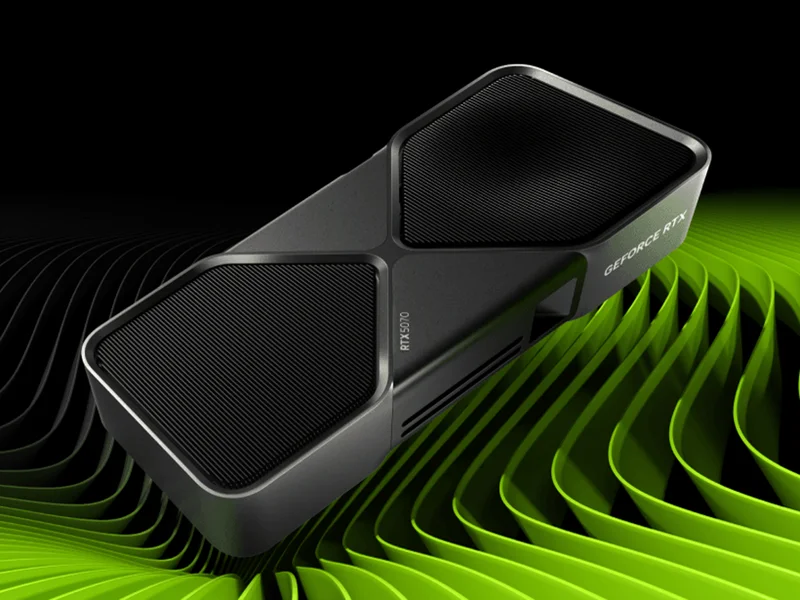
For an NVIDIA feature or application requirement
NVIDIA GeForce RTX 5070
Consider it when supported DLSS features or your application requirements favor NVIDIA.
GeForce RTX 5070 (not Ti) · 12GB GDDR7 · 250W total graphics power

Get RTX 5070 if your supported games or required applications favor NVIDIA features. Get RX 9070 if you need 16GB and have confirmed Radeon support; compare the exact board and current listing before buying.
We may earn a commission when you buy through our links. As an Amazon Associate I earn from qualifying purchases. Affiliate disclosure
Consider it when supported DLSS features or your application requirements favor NVIDIA.
GeForce RTX 5070 (not Ti) · 12GB GDDR7 · 250W total graphics power
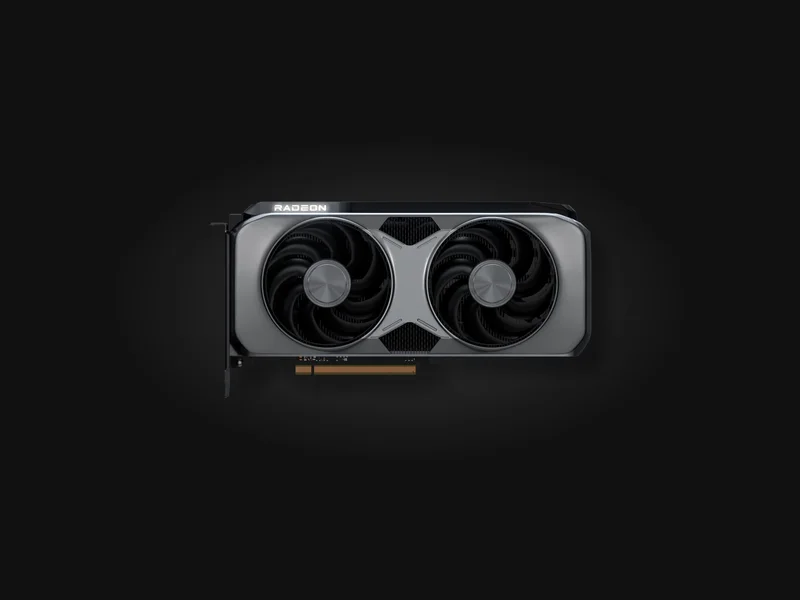
Consider it when 16GB capacity and the exact board price fit your games and workload.
Radeon RX 9070 (not XT) · 16GB GDDR6 · 220W typical board power
Two options for different needs. Compare their features and fit; the order does not name a winner.
Compare the optionsConsider it when supported DLSS features or your application requirements favor NVIDIA.
GeForce RTX 5070 (not Ti) · 12GB GDDR7 · 250W total graphics power
Get it if Your required software or supported game features favor NVIDIA.
Skip it if You specifically need 16GB capacity or your chosen board exceeds the budget.
Consider it when 16GB capacity and the exact board price fit your games and workload.
Radeon RX 9070 (not XT) · 16GB GDDR6 · 220W typical board power
Get it if You want 16GB and have confirmed your applications support the Radeon feature path.
Skip it if A required application or game feature depends on NVIDIA-specific support.
NVIDIA GeForce RTX 5070 · 1 of 2
Get it if Your required software or supported game features favor NVIDIA.
Skip it if You specifically need 16GB capacity or your chosen board exceeds the budget.
Consider it when supported DLSS features or your application requirements favor NVIDIA.
GeForce RTX 5070 (not Ti) · 12GB GDDR7 · 250W total graphics power
| GPU | GeForce RTX 5070 (not Ti) |
|---|---|
| VRAM | 12GB GDDR7 |
| Reference power | 250W total graphics power |
| Upscaling | DLSS; support varies by game |
| Board fit | Dimensions, connectors and PSU guidance vary by board |
AMD Radeon RX 9070 · 2 of 2
Get it if You want 16GB and have confirmed your applications support the Radeon feature path.
Skip it if A required application or game feature depends on NVIDIA-specific support.
Consider it when 16GB capacity and the exact board price fit your games and workload.
Radeon RX 9070 (not XT) · 16GB GDDR6 · 220W typical board power
| GPU | Radeon RX 9070 (not XT) |
|---|---|
| VRAM | 16GB GDDR6 |
| Reference power | 220W typical board power |
| Upscaling | FSR; support varies by game |
| Board fit | Dimensions, connectors and PSU guidance vary by board |
Pick two. Compare the numbers—not the marketing.
| Specification | | |
|---|---|---|
| At a glance | ||
| GPU | GeForce RTX 5070 (not Ti) | Radeon RX 9070 (not XT) |
| VRAM | 12GB GDDR7 | 16GB GDDR6 |
| Reference power (vendor definitions differ) | 250W total graphics power | 220W typical board power |
| Upscaling | DLSS; support varies by game | FSR; support varies by game |
| Board fit | Dimensions, connectors and PSU guidance vary by board | Dimensions, connectors and PSU guidance vary by board |
Research-based, not lab-tested. This comparison uses NVIDIA and AMD reference specifications, not our own frame-rate measurements. It compares RTX 5070 with RX 9070: neither RTX 5070 Ti nor RX 9070 XT is a substitute. There is no universal performance winner asserted here.
The NVIDIA specification lists 12GB for RTX 5070; AMD’s launch specification lists 16GB for RX 9070. Extra capacity can be a useful selection criterion when a workload requires it. It does not establish higher frame rates, better ray tracing or faster creation work by itself.
Before ordering, identify the games, texture settings and applications that matter. Consult current evaluations using those exact workloads. A benchmark at another resolution or with different image reconstruction settings is not a direct answer for your PC.
Separate native rendering, upscaling and frame generation. Generated frames can change displayed output, but a frame-generation figure is not interchangeable with native rendered performance or responsiveness. Supported features also vary by game and version.
If your decision rests on DLSS, ray reconstruction or an application-specific NVIDIA feature, verify its availability in that software. If it rests on FSR, do the same for the Radeon path. Neither brand’s feature name proves support across your library. Avoid comparing one card’s generated-frame number with the other’s native number.
The reference figures shown above describe different vendors’ power specifications; they are not wall-power measurements. Partner-board limits, coolers and connectors can differ. Read the exact board manufacturer’s dimensions, power-connector requirements and PSU guidance. Include connector clearance in a compact case.
Do not choose a power supply from GPU wattage alone. Account for the rest of the system and use compatible cables according to the PSU and card instructions. A GPU swap should not depend on an unverified adapter or a guessed connector fit.
The buttons open searches for the named GPU because partner-board listings vary. They are not confirmed exact-SKU offers. Match the chip name, memory, cooler, seller and condition; reject Ti/XT substitutions if you intend this comparison. Check the current total and return terms. No current Amazon price or availability is represented on this page.
Read which graphics card to buy for the existing broader guide, and pair the decision with 1440p gaming monitors.
No. This guide uses the non-XT chip. Recheck every listing and benchmark label before making a purchase comparison.
No. Capacity, workload support, relevant measured performance and the exact board’s total all matter. If you do not know which requirement your current GPU fails, keep it until you can identify that gap.
No. Use the exact board and PSU manufacturers’ instructions. Chip-level reference power does not identify every partner board’s connector, clearance or cable requirements.
1440p gaming: compare current evaluations of your games at the same resolution, settings and rendering mode. No universal frame-rate winner is asserted here.
Creation: check the application’s supported GPU features and memory requirements before choosing a brand.
Power and fit: use the exact board manufacturer’s connector, case-clearance and PSU guidance. The two vendors’ reference-power definitions are not an equivalent wall-power measurement.
Keep the current card if it meets your needs. Use the broader graphics-card guide for other existing candidates, or diagnose network lag if latency is the actual problem.
Updated Oct 14, 2026: added workload comparisons, power caveats and an FAQ; clarified the comparison order and category illustrations.
Image credits: NVIDIA GeForce RTX 5070 — NVIDIA · AMD Radeon RX 9070 — AMD.