
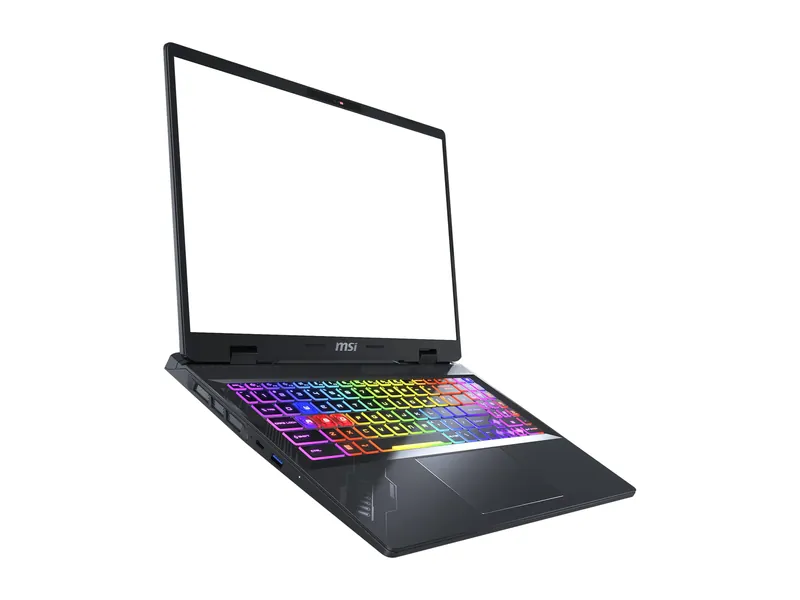
High-refresh QHD+ screen
MSI Crosshair A16 HX
The best screen in the group: 2560×1600 at 240Hz, with dual-channel RAM.
Ryzen 9 8940HX · RTX 5060 · 16 GB RAM (2×8GB) · 1TB · 16" QHD+ 240Hz
Buying guide · Gaming Laptops
We may earn a commission when you buy through our links.
Quick answer
All three RTX 5060 laptops here have 8 GB of GDDR7 video memory. Choose MSI for a 240 Hz QHD+ screen, Acer for 32 GB of system RAM, or Lenovo for a 1080p screen and 65 W GPU. Check the exact model before buying.
3picks
Quick list
Ryzen 9 8940HX · RTX 5060 · 16 GB RAM (2×8GB) · 1TB · 16" QHD+ 240Hz
Core i7-13650HX · RTX 5060 65W · 16 GB RAM (1×16GB) · 512 GB SSD · 15.6" 1080p 144Hz
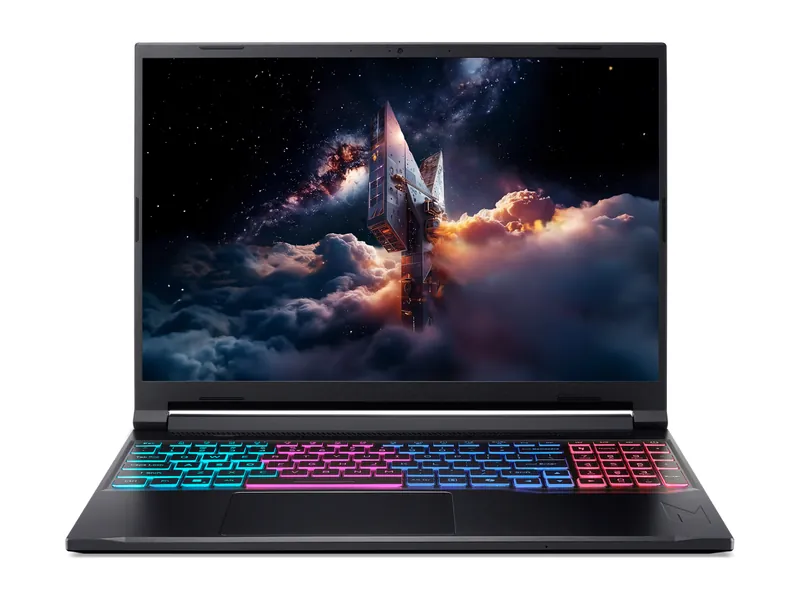
Ryzen 7 260 · RTX 5060 up to 85W · 32 GB RAM · 1TB · 16" 1200p 180Hz
The best screen in the group: 2560×1600 at 240Hz, with dual-channel RAM.
Ryzen 9 8940HX · RTX 5060 · 16 GB RAM (2×8GB) · 1TB · 16" QHD+ 240Hz
A 65W GPU and one RAM stick, with a free slot. Know what you're getting.
Core i7-13650HX · RTX 5060 65W · 16 GB RAM (1×16GB) · 512 GB SSD · 15.6" 1080p 144Hz
85W RTX 5060, 32GB and a big 76Wh battery. Tom's favorite budget gamer.
Ryzen 7 260 · RTX 5060 up to 85W · 32 GB RAM · 1TB · 16" 1200p 180Hz
01High-refresh QHD+ screen
240 Hz QHD+ screen and 16 GB of RAM in two sticks
MSI Crosshair A16 HX (D8WFKG-090US) · 1 of 3
Ryzen 9 8940HX · RTX 5060 · 16 GB RAM (2×8GB) · 1TB · 16" QHD+ 240Hz
Get it if You want a 16-inch 2560 x 1600 screen with a 240 Hz refresh rate. MSI lists 100% DCI-P3 coverage for this configuration.
Skip it if You need a confirmed GPU wattage before buying. MSI does not list it for this exact configuration.
The best screen in the group: 2560×1600 at 240Hz, with dual-channel RAM.
| Exact model | Crosshair A16 HX D8WFKG-090US |
|---|---|
| CPU | AMD Ryzen 9 8940HX, 2.4 to 5.3 GHz (MSI) |
| GPU | RTX 5060 8GB GDDR7 (MSI) |
| GPU power | Not listed by MSI |
| Memory | 16GB DDR5-5600 as 2×8GB (MSI) |
| Storage | 1TB NVMe SSD (Amazon listing) |
| Display | 16" 2560×1600, 240Hz, 100% DCI-P3 (MSI) |
| Battery | 90Wh, 4-cell (MSI) |
| Weight | 5.51 lb (MSI) |
| Webcam | 720p with shutter (MSI) |
02Entry pick for 1080p esports
65 W RTX 5060 with 8 GB GDDR7 and one 16 GB RAM stick
Lenovo LOQ Essential 15IRX11 (83SC007RUS) · 2 of 3
Core i7-13650HX · RTX 5060 65W · 16 GB RAM (1×16GB) · 512 GB SSD · 15.6" 1080p 144Hz
Get it if You want a 15.6-inch 1080p screen for esports and a free RAM slot. Lenovo lists a 65 W GPU for this configuration.
Skip it if You want two RAM sticks installed or a higher GPU power rating. This model ships with one 16 GB DDR5-4800 stick.
A 65W GPU and one RAM stick, with a free slot. Know what you're getting.
| Exact model | 83SC007RUS |
|---|---|
| CPU | Intel Core i7-13650HX, 14 cores (Lenovo PSREF) |
| GPU | RTX 5060 8GB GDDR7 (Lenovo PSREF) |
| GPU power | 65W TGP (Lenovo PSREF) |
| Memory | 16GB DDR5-4800, one stick; second slot free (Lenovo PSREF) |
| Storage | 512GB PCIe 4.0 SSD; two M.2 2242 slots (Lenovo PSREF) |
| Display | 15.6" 1920×1080 IPS, 144Hz, 300 nits (Lenovo PSREF) |
| Battery | 60Wh (Lenovo PSREF) |
| Weight | From 5.07 lb (Lenovo PSREF) |
| Wi-Fi | Wi-Fi 6 (Lenovo PSREF) |
| Webcam | 720p with shutter (Lenovo PSREF) |
03Our pick for gaming and school
Ryzen 7 260, 32 GB DDR5 RAM, and a 180 Hz 1200p screen
Acer Nitro V 16S AI (ANV16S-41-R2AJ) · 3 of 3
Ryzen 7 260 · RTX 5060 up to 85W · 32 GB RAM · 1TB · 16" 1200p 180Hz
Get it if You want 32 GB of system RAM out of the box and a 16-inch 1920 x 1200 screen. Acer lists GPU power up to 85 W.
Skip it if You want to install more than 32 GB of RAM. Acer lists 32 GB as the maximum for this model.
85W RTX 5060, 32GB and a big 76Wh battery. Tom's favorite budget gamer.
| Exact model | ANV16S-41-R2AJ (part NH.QZYAA.001) |
|---|---|
| CPU | AMD Ryzen 7 260 (Acer) |
| GPU | RTX 5060 8GB GDDR7 (Acer) |
| GPU power | Up to 85W max graphics power (Acer) |
| Memory | 32GB DDR5 (Acer) |
| Storage | 1TB PCIe Gen4 SSD; room for a second drive (Tom's Hardware) |
| Display | 16" 1920×1200 IPS, 180Hz (Acer listing, Tom's Hardware) |
| Battery | 76Wh (Acer) |
| Weight | 4.55 lb (Tom's Hardware) |
| Wi-Fi | Wi-Fi 6 (802.11ax) (Acer) |
| Webcam | 720p (Tom's Hardware) |
The three models share the same 8 GB of GDDR7 video memory. System RAM differs by configuration. MSI and Lenovo ship these models with 16 GB of RAM, and Acer ships the R2AJ with 32 GB.
| Laptop model | GPU memory and power | Processor | Display | System RAM and storage | Best for |
|---|---|---|---|---|---|
| MSI Crosshair A16 HX (D8WFKG-090US) | RTX 5060, 8 GB GDDR7. GPU wattage not listed by MSI. | AMD Ryzen 9 8940HX | 16-inch QHD+ (2560 x 1600), 240 Hz, 100% DCI-P3 | 16 GB DDR5 (2 x 8 GB), 1 TB NVMe | High-refresh QHD+ screen |
| Acer Nitro V 16S AI (ANV16S-41-R2AJ) | RTX 5060, 8 GB GDDR7, up to 85 W | AMD Ryzen 7 260 | 16-inch WUXGA (1920 x 1200), 180 Hz | 32 GB DDR5, 1 TB NVMe | Gaming and school with 32 GB RAM |
| Lenovo LOQ Essential 15IRX11 (83SC007RUS) | RTX 5060, 8 GB GDDR7, 65 W | Intel Core i7-13650HX | 15.6-inch FHD (1920 x 1080), 144 Hz | 16 GB DDR5-4800 (1 x 16 GB, one slot free), 512 GB M.2 2242 | Entry 1080p esports |
We compared manufacturer specs for each model number, using GPU power, display resolution and refresh rate, installed RAM, and storage options. These picks are based on published specs. We did not run games or battery tests on the laptops.
The same RTX 5060 Laptop GPU can run at different power settings. Lenovo lists 65 W for the LOQ above, and Acer lists up to 85 W for the Nitro. Higher GPU wattage alone cannot tell you what frame rate to expect. Check benchmarks for the exact configuration and resolution you plan to use.
Timing an Intel laptop purchase? Read what Intel moving some Panther Lake capacity to servers means for laptop buyers before you order.
The 83SC007RUS ships with one 16 GB DDR5-4800 SO-DIMM and has a free slot. Check Lenovo’s supported memory configurations before buying an upgrade. An upgrade changes system RAM. The RTX 5060 still has 8 GB of video memory.
Acer lists 32 GB of DDR5 system RAM and 8 GB of GDDR7 video memory for the ANV16S-41-R2AJ. Check the suffix on the store listing, since other Nitro V 16S AI models can ship with different RAM and screens.
Lenovo lists M.2 2242 PCIe slots for this model. Check the full model number and look for a 42 mm SSD before ordering a second drive.
Image credits: MSI Crosshair A16 HX: MSI · Lenovo LOQ Essential 15: Lenovo · Acer Nitro V 16S AI: Acer.