
- Wait until Wednesday if: You want a native touch-enabled OLED screen, a lighter 14-inch or 16-inch travel chassis, Dynamic Island, and macOS Golden Gate touch-adaptive menus, and you are comfortable stepping into a higher retail tier.
- Buy current mini-LED or external desk gear now if: Your MacBook Pro spends most of its life docked to an external 4K or QD-OLED monitor. Because the reported OLED models retain the existing M5 Pro and M5 Max chips from March 2026, compute performance stays identical while existing mini-LED configurations remain in Apple’s lineup at a lower tier.
- Skip if: Your workflow centers on local LLM quantization or heavy 3D rendering where a desktop RTX 5070 Ti 16GB workstation delivers higher sustained wattage per tier; check our GPU and ATX 3.1 PSU Wattage Calculator.
According to MacRumors (reported by Joe Rossignol citing Mark Gurman’s Bloomberg Power On newsletter on October 25, 2026), Apple plans to unveil redesigned 14-inch and 16-inch MacBook Pro models with touch-enabled OLED displays via press release on Wednesday, October 28, ahead of in-person demo sessions at Apple’s “Pro and tell” media experience in Los Angeles.
Because these OLED configurations reportedly keep the M5 Pro and M5 Max processors launched in March 2026 while positioning above current mini-LED models in Apple’s pricing hierarchy, buyers weighing a laptop purchase or desk upgrade this week should compare what changes on Wednesday against what an external 4K monitor and Thunderbolt 4 dock already deliver.
What Bloomberg and MacRumors report for Wednesday (Oct. 28)
- 14-inch and 16-inch touch-enabled OLED panels: Apple is reportedly moving its flagship notebooks to OLED touchscreens in a lighter chassis, replacing the camera notch at the top of the display with a Dynamic Island cutout.
- macOS Golden Gate adaptive touch interface: To support direct finger input without turning macOS into iPadOS, macOS Golden Gate reportedly includes a dynamic interface that adapts controls and contextual menus depending on whether you touch the screen or use the trackpad, alongside touch-friendly Dock and Menu Bar targets.
- Same M5 Pro and M5 Max silicon: Rather than introducing a new processor family, the October 28 OLED models reportedly retain the M5 Pro and M5 Max chips introduced in March 2026.
- Lineup coexistence and retail tiering: Current 14-inch and 16-inch Liquid Retina XDR (mini-LED) M5 Pro and M5 Max models are expected to stay in Apple’s lineup for now below the new OLED tier, with third-party retailers already running pre-event markdowns on existing mini-LED inventory.
Reported OLED MacBook Pro vs. current mini-LED vs. external desk setup
| Specification | Reported OLED MacBook Pro (Oct. 28) | Current MacBook Pro (March 2026) | External Desk Upgrade (Dock + 4K Display) |
|---|---|---|---|
| Display Panel | Touch-enabled OLED (14-inch and 16-inch) | Mini-LED Liquid Retina XDR (non-touch) | External 27-inch 4K QD-OLED (PG27UCDM) or 4K IPS (PA279CRV) |
| Top Cutout | Dynamic Island | Standard camera notch | External 4K display + desk peripherals |
| Processors | Apple M5 Pro and M5 Max | Apple M5 Pro and M5 Max | Works with any Thunderbolt 4 or USB4 MacBook Pro |
| OS Input Mode | macOS Golden Gate dynamic touch UI + trackpad | Standard trackpad and keyboard | Clamshell or dual-screen desktop setup over one cable |
| Retail Tier Impact | Substantially higher OLED entry tier | Remains in lineup with pre-event retail markdowns | Preserves budget for a Thunderbolt 4 dock and 2TB NVMe storage |
How to get 4K OLED, calibrated color, and single-cable docking on a MacBook Pro today
If your MacBook Pro stays on a desk most of the week, an external 27-inch 4K display and a single-cable Thunderbolt 4 dock give you more screen real estate and port flexibility than any laptop panel upgrade.
1. External 27-inch 4K QD-OLED display: ASUS ROG Swift OLED PG27UCDM
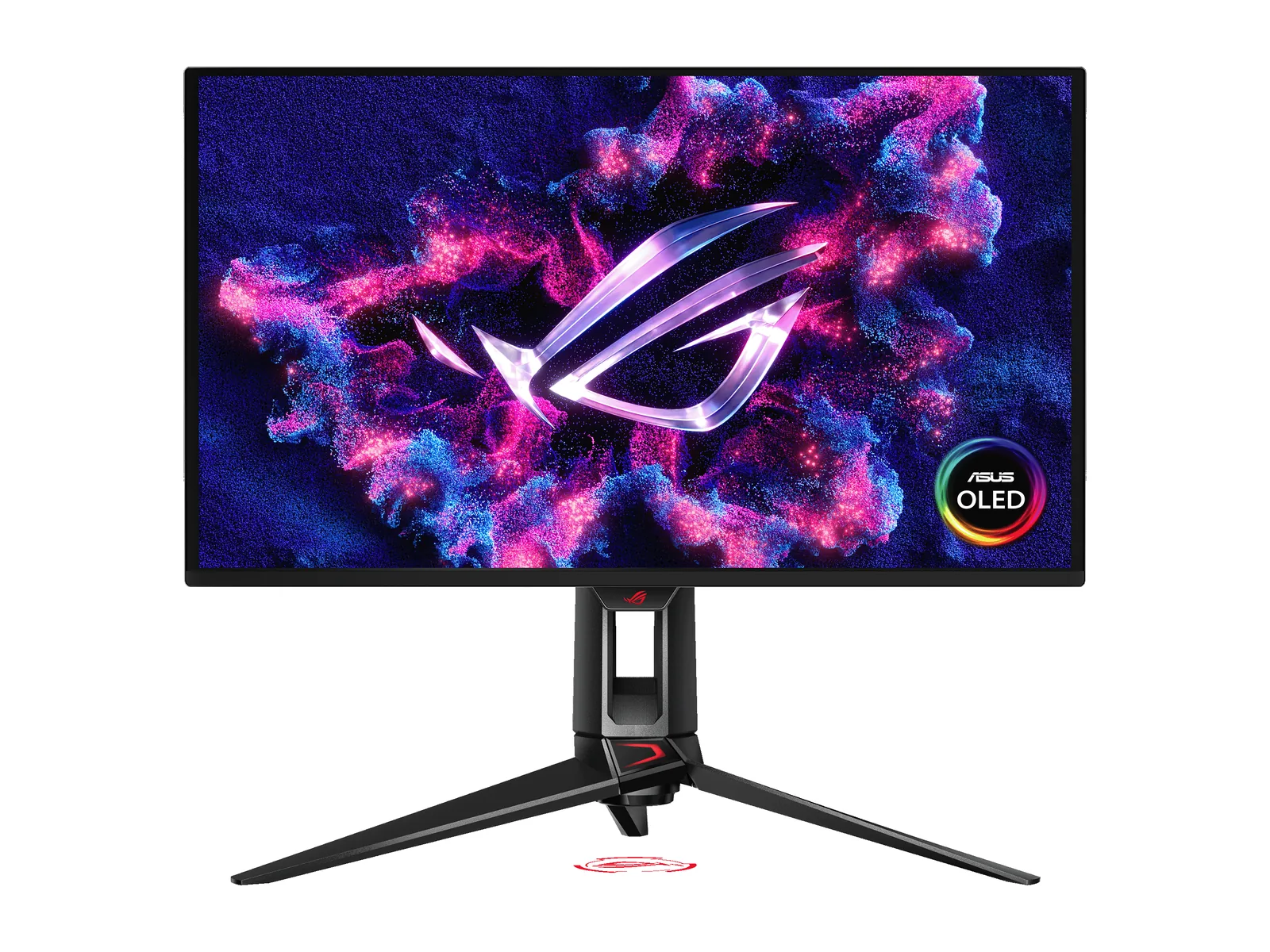
For MacBook Pro owners who edit HDR video, grade timelines, or split a desk between macOS work and PC or console gaming, the ASUS ROG Swift OLED PG27UCDM delivers a 26.5-inch 3840x2160 fourth-generation QD-OLED panel at 166 pixels per inch. That pixel density keeps macOS interface text crisp while providing 99% DCI-P3 coverage, true per-pixel black levels with zero mini-LED haloing, and a USB-C port with 90W Power Delivery.
Read our Alienware AW2725DF vs ASUS PG27UCDM OLED comparison or compare more options in our best 4K gaming and creator monitors guide.
2. Calibrated 27-inch 4K USB-C creator monitor: ASUS ProArt Display PA279CRV
If you prefer a non-OLED 4K IPS panel for static timelines, spreadsheets, and color-critical print or video work without burn-in management, the ASUS ProArt Display PA279CRV offers factory-calibrated Calman Verified accuracy (Delta E under 2), 99% DCI-P3 and 99% Adobe RGB coverage, and 96W USB-C Power Delivery. Compare more creator screens in our best monitors for creators who game guide.
3. Full 18-port Thunderbolt 4 workstation dock: CalDigit TS4
Whether you keep your current MacBook Pro or order Wednesday’s OLED model, port consolidation determines how fast you can dock and undock. The CalDigit TS4 provides 18 total ports, sustained 98W host charging, a 2.5GbE network jack for fast NAS transfers, and a front UHS-II SD 4.0 card reader. See our USB-C and Thunderbolt docking station guide.
4. Value USB-C 85W desk dock: Anker 575 USB-C Docking Station (A8392)
If you do not need 2.5GbE networking or Thunderbolt daisy-chaining, the Anker 575 USB-C Docking Station (13-in-1, A8392) handles everyday MacBook Pro desk duties with 85W host power delivery, Gigabit Ethernet, SD and microSD slots, and front USB-C charging ports.
5. High-speed scratch storage for external enclosures: Samsung 990 Pro 2TB
Apple’s built-in storage tiers remain soldered after purchase. Pairing a Samsung 990 Pro 2TB PCIe 4.0 NVMe SSD inside a 40Gbps USB4 or Thunderbolt M.2 enclosure gives MacBook Pro users a fast external scratch disk for Final Cut Pro, DaVinci Resolve, and Xcode build caches. Compare more drives in our best NVMe SSDs guide.