Best port hub
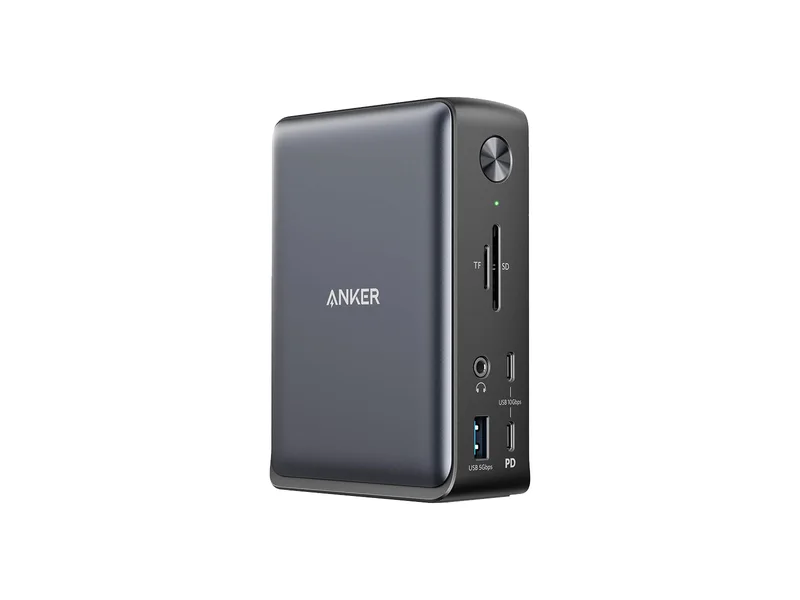
Anker 575 USB-C Docking Station A8392
A conventional USB-C desk dock when its display modes and charging fit your laptop.
USB-C, up to 10Gbps · Up to 85W · 2 × HDMI, 1 × DisplayPort; simultaneous modes depend on host

Port hub: Anker 575 USB-C Docking Station (A8392). Fast external scratch SSD (in a USB4 enclosure): Samsung 990 PRO 2TB. Native macOS keyboard: Keychron C2 Pro 8K. Lag-free wireless mouse: Logitech G PRO X SUPERLIGHT 2. Color-accurate 4K monitor: ASUS ProArt PA279CRV.
5picksDay-one Mac mini desk upgrades
We may earn a commission when you buy through our links. Affiliate disclosure
Quick List · Above the Fold
USB-C, up to 10Gbps · Up to 85W · 2 × HDMI, 1 × DisplayPort; simultaneous modes depend on host
PCIe 4.0 x4 · M.2 2280 · 7,450 MB/s · 2GB DRAM
Full-size (Keychron) · Wired (Keychron) · 8,000Hz; manufacturer hardware requirements apply (Keychron)
60 g · symmetrical · HERO 2 · 8 kHz LIGHTSPEED
A conventional USB-C desk dock when its display modes and charging fit your laptop.
USB-C, up to 10Gbps · Up to 85W · 2 × HDMI, 1 × DisplayPort; simultaneous modes depend on host
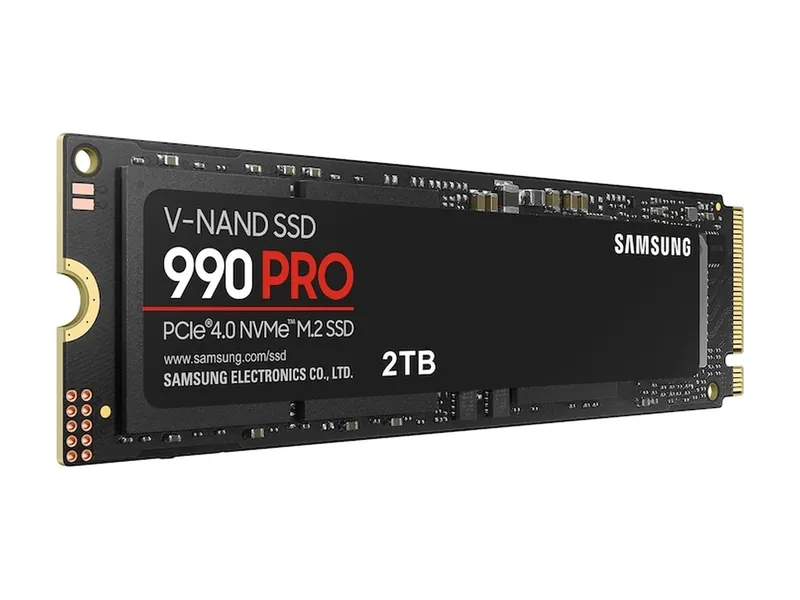
A top-tier Gen4 drive. Plenty fast for games, and it works in any PCIe 4.0 slot.
PCIe 4.0 x4 · M.2 2280 · 7,450 MB/s · 2GB DRAM
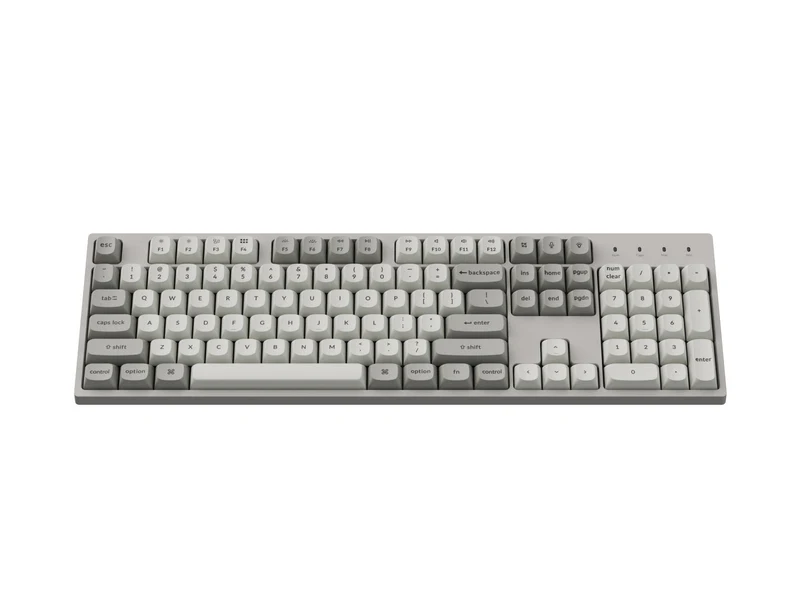
Keep the number pad and choose a wired, full-size board.
Full-size (Keychron) · Wired (Keychron) · 8,000Hz; manufacturer hardware requirements apply (Keychron)
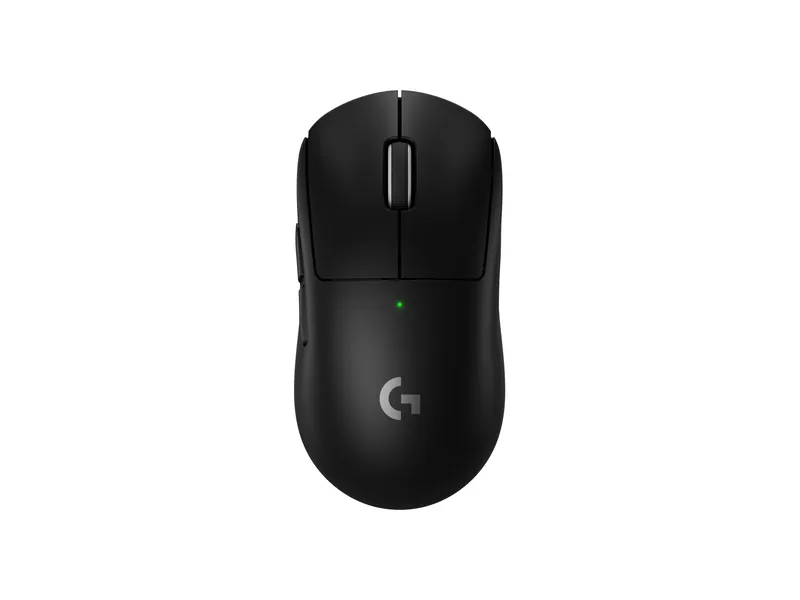
The safe symmetrical pick: light and fast.
60 g · symmetrical · HERO 2 · 8 kHz LIGHTSPEED
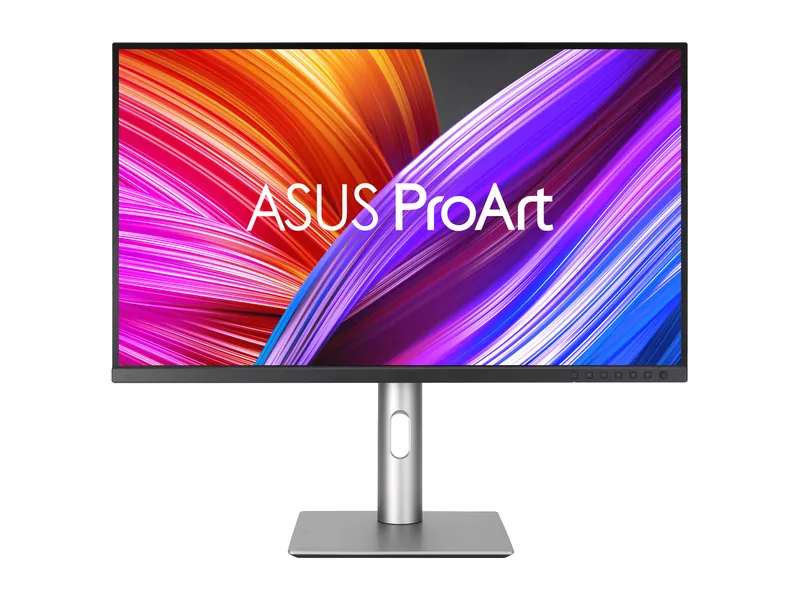
Factory-calibrated 4K color for real work. Gaming is the side gig at 60Hz.
27" IPS · 4K · 60Hz · USB-C 96W
Anker 575 USB-C Docking Station A8392 · 1 of 5
USB-C, up to 10Gbps · Up to 85W · 2 × HDMI, 1 × DisplayPort; simultaneous modes depend on host
Get it if You want an independently powered desk hub that adds SD/microSD card readers, three USB-A ports, Gigabit Ethernet, and front 18W USB-C charging through one upstream port.
Skip it if You need 40Gbps Thunderbolt 4 downstream ports or 2.5GbE networking; step up to the CalDigit TS4 instead.
A conventional USB-C desk dock when its display modes and charging fit your laptop.
USB-C, up to 10Gbps · Up to 85W · 2 × HDMI, 1 × DisplayPort; simultaneous modes depend on host
| Host connection | USB-C, up to 10Gbps |
|---|---|
| Laptop charging | Up to 85W |
| Display connections | 2 × HDMI, 1 × DisplayPort; simultaneous modes depend on host |
| Ethernet | 1Gbps |
| Host requirement | DisplayPort Alt Mode for video; Power Delivery for charging |
Samsung 990 PRO 2TB (MZ-V9P2T0B/AM) · 2 of 5
PCIe 4.0 x4 · M.2 2280 · 7,450 MB/s · 2GB DRAM
Get it if You ordered a base-storage Mac mini and want 2TB of fast external NVMe storage (paired with a 40Gbps USB4/Thunderbolt M.2 enclosure) for Final Cut Pro, Logic, Xcode, or Steam.
Skip it if You want a cool-running DRAM-less TLC alternative for light project storage; consider the WD Black SN7100 2TB instead.
A top-tier Gen4 drive. Plenty fast for games, and it works in any PCIe 4.0 slot.
PCIe 4.0 x4 · M.2 2280 · 7,450 MB/s · 2GB DRAM
| Interface | PCIe 4.0 x4 · NVMe 2.0 (Samsung) |
|---|---|
| Sequential read | 7450 MB/s (Samsung) |
| Sequential write | 6900 MB/s (Samsung) |
| Random read (4K) | 1.4M IOPS, QD32 (Samsung) |
| Random write (4K) | 1.55M IOPS, QD32 (Samsung) |
| DRAM cache | 2GB LPDDR4 (Samsung) |
| NAND | Samsung V-NAND 3-bit MLC (TLC) |
| Endurance | 1200 TBW (Samsung) |
| Warranty | 5 years limited (Samsung) |
| Form factor | M.2 2280, no heatsink (this model) |
Keychron C2 Pro 8K Wired Mechanical Keyboard · 3 of 5
Full-size (Keychron) · Wired (Keychron) · 8,000Hz; manufacturer hardware requirements apply (Keychron)
Get it if You want a full-size 100% wired mechanical keyboard with factory Command/Option keycaps, a physical Mac/Windows switch, and browser-based QMK/VIA remapping.
Skip it if You have a narrow desk and prefer a compact wireless keyboard without a number pad.
Keep the number pad and choose a wired, full-size board.
Full-size (Keychron) · Wired (Keychron) · 8,000Hz; manufacturer hardware requirements apply (Keychron)
| Layout | Full-size (Keychron) |
|---|---|
| Connection | Wired (Keychron) |
| Polling rate | 8,000Hz; manufacturer hardware requirements apply (Keychron) |
| Switches | Hot-swap, 3-pin/5-pin (Keychron) |
| Keycaps | PBT OSA (Keychron) |
| Customization | QMK (Keychron) |
Logitech G PRO X SUPERLIGHT 2 · 4 of 5
60 g · symmetrical · HERO 2 · 8 kHz LIGHTSPEED
Get it if You want a featherweight wireless mouse with front USB-C charging and a dedicated LIGHTSPEED receiver that avoids the choppy 90 to 125Hz polling rate of standard macOS Bluetooth mice.
Skip it if You rely heavily on a secondary horizontal thumb scroll wheel for wide spreadsheets.
The safe symmetrical pick: light and fast.
60 g · symmetrical · HERO 2 · 8 kHz LIGHTSPEED
| Weight | 60 g (Logitech) |
|---|---|
| Shape | Symmetrical (RTINGS) |
| Sensor | HERO 2 (Logitech) |
| Max DPI | 32000 DPI on the spec sheet; Logitech also advertises 44K DPI support |
| Max speed | 888 IPS+ (Logitech) |
| Polling rate | 8000 Hz wireless (Logitech) |
| Battery | Rechargeable; hours not listed on the US spec sheet |
| Connection | LIGHTSPEED 2.4 GHz wireless · USB-C |
| Switches | Hybrid optical-mechanical (Logitech) |
| Size | 125 × 63.5 × 40 mm (Logitech) |
ASUS ProArt Display PA279CRV · 5 of 5
27" IPS · 4K · 60Hz · USB-C 96W
Get it if You want a 27-inch 4K UHD IPS display with Calman Verified Delta E < 2 accuracy, Display P3 coverage, USB-C connectivity, and a full ergonomic stand.
Skip it if You want 120Hz to 240Hz refresh rates and per-pixel OLED blacks.
Factory-calibrated 4K color for real work. Gaming is the side gig at 60Hz.
27" IPS · 4K · 60Hz · USB-C 96W
| Screen | 27-inch IPS, anti-glare (ASUS) |
|---|---|
| Resolution | 3840 × 2160 |
| Refresh rate | 60Hz (ASUS) |
| Response time | 5ms GtG (manufacturer) |
| Color gamut | 100% sRGB · 99% Adobe RGB · 99% DCI-P3 (ASUS) |
| Color accuracy | ΔE < 2, ships with a pre-calibration report (ASUS) |
| HDR | HDR10 · 400-nit HDR peak (ASUS) |
| SDR brightness | 350 nits typical (ASUS) |
| USB-C | DP Alt Mode, 96W power delivery (ASUS) |
| Ports | 1× USB-C · 2× DisplayPort 1.4 (daisy chain) · 2× HDMI 2.0 (ASUS) |
| Warranty | 3 years, zero bright dot (ASUS) |
Apple’s compact Mac mini delivers impressive desktop compute per cubic inch, but the box contains only the aluminum computer and a power cord. As BGR’s recent Mac mini accessory roundup highlights, new owners immediately face practical day-one gaps: there is no keyboard, mouse, webcam, or SD card slot in the box, the power button sits underneath the compact chassis, and Apple’s built-to-order storage tiers carry steep markups during the ongoing memory supply crunch.
Rather than settling for a bottom-charging mouse or a slow external thumb drive, here is how our five primary picks and three pro step-up alternatives fit together on a Mac mini desk:
| Accessory Role | Primary Pick | Pro / Alternative Option | Connection to Mac Mini | Why It Matters on Day One |
|---|---|---|---|---|
| Desk Port Hub | Anker 575 USB-C Dock (anker-575-a8392) |
CalDigit TS4 Thunderbolt 4 (caldigit-ts4) |
10Gbps USB-C or 40Gbps TB4 | Adds SD/microSD slots, USB-A ports, Ethernet, and front device charging |
| External Scratch SSD | Samsung 990 PRO 2TB (samsung-990-pro-2tb) |
WD_BLACK SN7100 2TB (wd-black-sn7100-2tb) |
Inside a USB4 / TB4 M.2 enclosure or stand hub | Expands storage by 2TB without paying soldered factory SSD upgrade markups |
| Native Mac Keyboard | Keychron C2 Pro 8K (keychron-c2-pro-8k) |
Built-in Mac/Windows toggle + QMK/VIA | Wired USB-C (with macOS keycaps) | Works at the FileVault boot screen with zero Bluetooth lag and native Command/Option keys |
| Wireless Mouse | Logitech G PRO X SUPERLIGHT 2 (logitech-g-pro-x-superlight-2) |
Front USB-C charging while in use | 2.4GHz LIGHTSPEED USB receiver | 60g shell and crisp 1000Hz+ wireless tracking that avoids macOS Bluetooth stutter |
| 4K Display & Webcam | ASUS ProArt PA279CRV (asus-proart-pa279crv) |
Logitech MX Brio 4K Webcam (logitech-mx-brio) |
USB-C (DP Alt Mode) + USB-C webcam | 27-inch 4K Calman Verified color plus a 4K webcam for studio calls |
If your workflow goes beyond the five core picks above, three catalog upgrades address multi-gigabit networking, high-efficiency TLC storage, and desk conferencing:
caldigit-ts4)While the Anker 575 covers everyday USB-A peripherals and SD cards, creators connecting multiple 40Gbps Thunderbolt drives or a 2.5GbE NAS should step up to the CalDigit TS4. It adds three 40Gbps Thunderbolt 4 ports, 2.5GbE networking, UHS-II SD 4.0 and microSD 4.0 slots, and 98W power delivery if you also dock a MacBook Pro at the same desk. Compare both in our USB-C and Thunderbolt docking station guide.
wd-black-sn7100-2tb)If you are installing an M.2 stick inside a fanless aluminum Mac mini stand hub or compact USB4 enclosure where low thermal output is a priority, cross-shop the WD_BLACK SN7100 2TB (wd-black-sn7100-2tb) alongside the DRAM-equipped Samsung 990 PRO 2TB. Its dense BiCS8 TLC flash reaches 7,250 MB/s sequential reads and 6,900 MB/s writes with 1,200 TBW endurance while running cool in passive enclosures. See our best NVMe SSDs guide.
logitech-mx-brio)Because neither the Mac mini nor the ASUS ProArt PA279CRV includes a built-in camera or microphone array, adding the Logitech MX Brio 4K Webcam (logitech-mx-brio) completes a remote-work setup. It pairs a 4K Ultra HD sensor with a magnetic monitor clip, integrated privacy shutter, dual beamforming mics, and downward-tilting Show Mode for sharing physical desk notes.
If you enable macOS FileVault full-disk encryption, Bluetooth peripherals sometimes fail to handshake before the pre-boot password screen loads, and first-time macOS setup is much smoother with a wired USB-C keyboard like the Keychron C2 Pro 8K or a 2.4GHz USB receiver mouse.
Install the M.2 2280 stick into any tool-free 40Gbps USB4 or Thunderbolt NVMe enclosure (or a Mac mini stand hub with an M.2 bay), plug it into one of the Mac mini’s rear Thunderbolt ports, and format it as APFS in Disk Utility.
Image credits: Anker 575 USB-C Docking Station A8392 — Anker · Samsung 990 PRO 2TB — Samsung · Keychron C2 Pro 8K — Keychron · Logitech G PRO X SUPERLIGHT 2 — Logitech · ASUS ProArt PA279CRV — ASUS.