
ASUS ProArt PA279CRV
Factory-calibrated 4K color for real work. Gaming is the side gig at 60Hz.
Both jobs equally: ASUS PG27UCDM. Color work first: ASUS ProArt PA279CRV. Gaming first, editing second: ASUS XG27AQWMG. Pick by which job pays the bills.
We may earn a commission when you buy through our links. As an Amazon Associate I earn from qualifying purchases. Affiliate disclosure

Alternatives first. The recommended use-case pick is last; these are not lab scores.
Jump to the final pick ↓Factory-calibrated 4K color for real work. Gaming is the side gig at 60Hz.
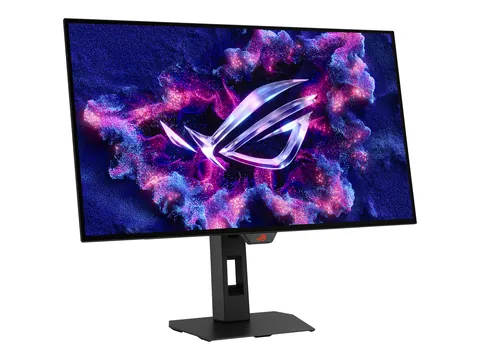
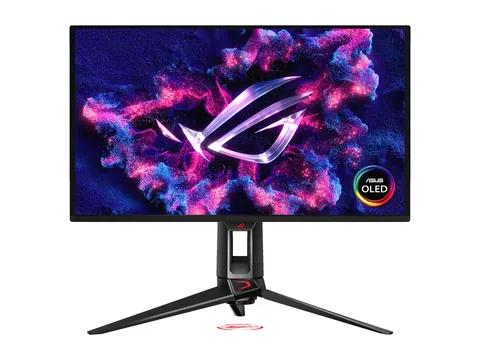
Bright glossy Tandem OLED at 280Hz, with full HDMI 2.1 and a USB hub.
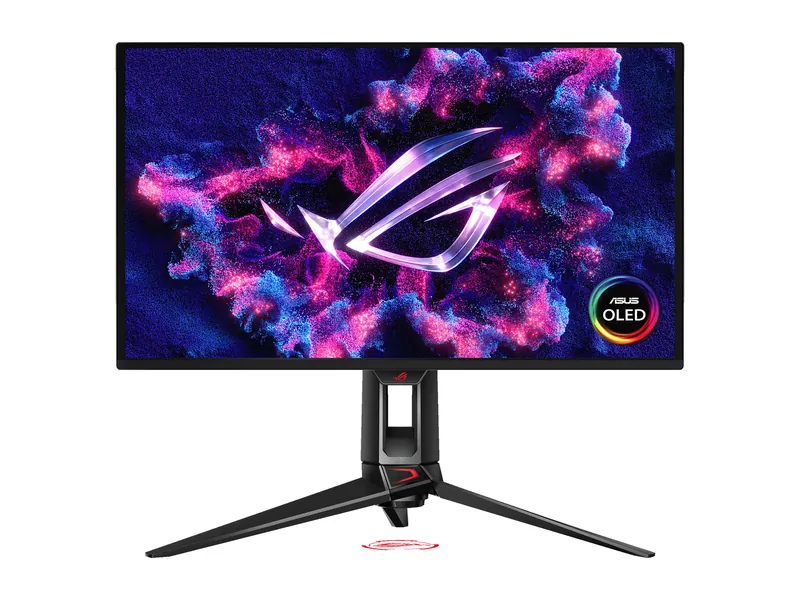
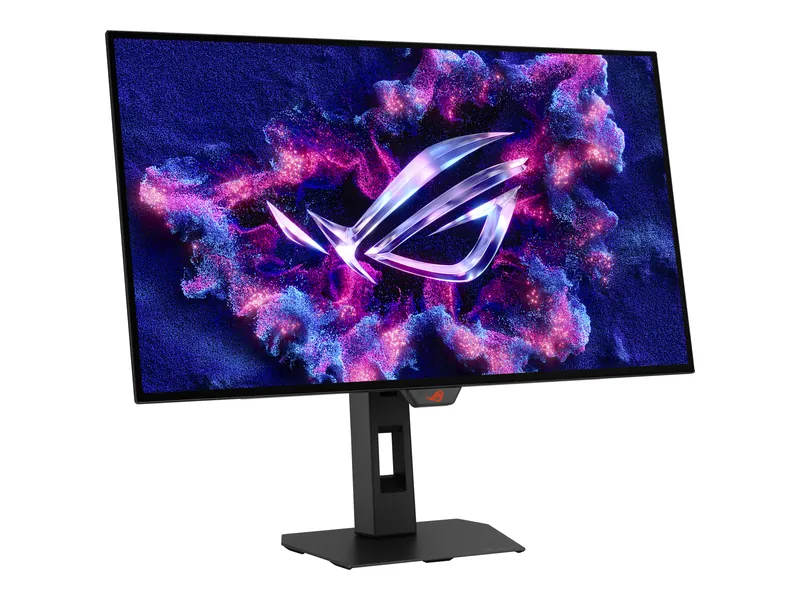
4K for the edit, 240Hz for the evening. The one screen that does both well.
Store links checked Oct 10, 2026, 2:50 PM ET. Check current prices at the store.
ASUS ProArt Display PA279CRV · 1 of 3
Get it if Color accuracy is your job. You want factory calibration, Adobe RGB and one USB-C cable to your laptop.
Skip it if You play competitive shooters. 60Hz will feel slow.
| Screen | 27-inch IPS, anti-glare (ASUS) |
|---|---|
| Resolution | 3840 × 2160 |
| Refresh rate | 60Hz (ASUS) |
| Response time | 5ms GtG (manufacturer) |
| Color gamut | 100% sRGB · 99% Adobe RGB · 99% DCI-P3 (ASUS) |
| Color accuracy | ΔE < 2, ships with a pre-calibration report (ASUS) |
| HDR | HDR10 · 400-nit HDR peak (ASUS) |
| SDR brightness | 350 nits typical (ASUS) |
| USB-C | DP Alt Mode, 96W power delivery (ASUS) |
| Ports | 1× USB-C · 2× DisplayPort 1.4 (daisy chain) · 2× HDMI 2.0 (ASUS) |
| Warranty | 3 years, zero bright dot (ASUS) |
ASUS ROG Strix OLED XG27AQWMG · 2 of 3
Get it if Gaming comes first, but you want wide color (99.5% DCI-P3 per ASUS) for photos and video.
Skip it if You need 4K for detail work or Adobe RGB for print.
| Screen | 26.5-inch viewable Tandem WOLED, TrueBlack Glossy coating (ASUS) |
|---|---|
| Resolution | 2560 × 1440 |
| Refresh rate | 280Hz over DisplayPort (DSC) and HDMI 2.1 (ASUS) |
| Response time | 0.03ms GtG (manufacturer) |
| HDR | DisplayHDR 500 True Black · 1,500-nit HDR peak (ASUS) |
| SDR brightness | 557 nits measured, 25% window (Tom's Hardware) |
| Color | 99.5% DCI-P3 (ASUS) |
| Adaptive sync | FreeSync Premium Pro · G-SYNC Compatible · VESA AdaptiveSync 280Hz (ASUS) |
| Ports | 1× DisplayPort 1.4 (DSC) · 2× HDMI 2.1 (FRL) · headphone out (ASUS) |
| USB hub | 2× USB 3.2 Gen 1 Type-A (ASUS) |
| Stand | Height 0–110 mm, tilt, swivel, pivot · VESA 100 (ASUS) |
| Warranty | 3 years, panel burn-in included (ASUS) |
| Color gamut | 99.5% DCI-P3 (ASUS) |
ASUS ROG Swift OLED PG27UCDM · 3 of 3
Get it if You edit photos or video and play fast games, and want 4K sharpness with 240Hz motion.
Skip it if You leave a static timeline up eight hours a day. That's the burn-in scenario for any OLED.
| Screen | 26.5-inch QD-OLED, anti-reflection coating (ASUS) |
|---|---|
| Resolution | 3840 × 2160 |
| Refresh rate | 240Hz (ASUS) |
| Response time | 0.03ms GtG (manufacturer) |
| Color gamut | 99% DCI-P3 (ASUS) |
| Color accuracy | ΔE < 2, calibration report via DisplayWidget Center (ASUS) |
| HDR | HDR10 · Dolby Vision · DisplayHDR 400 True Black · 1,000-nit HDR peak (ASUS) |
| USB-C | DP Alt Mode, 90W power delivery (ASUS) |
| Ports | 1× DisplayPort 2.1 · 2× HDMI 2.1 (FRL) · 1× USB-C (ASUS) |
| KVM | Yes (ASUS) |
Pick two. Compare the numbers—not the marketing.
Choose two different products. Manufacturer specs. Emphasis marks the higher refresh rate. Color numbers aren't comparable across different color spaces, so they stay neutral.
| Specification | ||
|---|---|---|
| Panel | ||
| Resolution | ||
| Refresh rate | ||
| Color gamut | ||
| Color accuracy | ||
| USB-C | ||
| HDR |
| Specification | Best for color workASUS ProArt PA279CRV | Best for gaming firstASUS XG27AQWMG | Our top pick for both jobsASUS PG27UCDM |
|---|---|---|---|
| At a glance | |||
| Panel | IPS, anti-glare | Tandem WOLED, glossy | QD-OLED, anti-reflection |
| Resolution | 3840 × 2160 | 2560 × 1440 | 3840 × 2160 |
| Refresh rate | 60Hz (ASUS) | 280Hz over DisplayPort (DSC) and HDMI 2.1 (ASUS) | 240Hz (ASUS) |
| Color gamut | 100% sRGB · 99% Adobe RGB · 99% DCI-P3 (ASUS) | 99.5% DCI-P3 (ASUS) | 99% DCI-P3 (ASUS) |
| Color accuracy | ΔE < 2, ships with a pre-calibration report (ASUS) | Not listed | ΔE < 2, calibration report via DisplayWidget Center (ASUS) |
| USB-C | DP Alt Mode, 96W power delivery (ASUS) | None | DP Alt Mode, 90W power delivery (ASUS) |
| HDR | HDR10 · 400-nit HDR peak (ASUS) | DisplayHDR 500 True Black · 1,500-nit HDR peak (ASUS) | HDR10 · Dolby Vision · DisplayHDR 400 True Black · 1,000-nit HDR peak (ASUS) |
Specs from ASUS spec sheets. Verdicts and measurements from RTINGS and our XG27AQWMG review. We don’t run our own lab tests. All three are ASUS by coincidence, not by deal. Dell’s UltraSharp U2725QE was on our list, but its Dell US store page didn’t load when we checked on October 10, 2026, and we won’t recommend what we can’t verify.
Which job pays? If clients judge your color, buy the PA279CRV and live with 60Hz. First check it covers the color space you deliver in. If it’s a hobby, buy for gaming and check the gamut.
Color spaces. sRGB is the web. DCI-P3 is video and Apple screens. Adobe RGB is print. A monitor can cover one well and another poorly. The ProArt lists all three; the OLEDs list DCI-P3.
Calibration. Factory calibration gets you close out of the box. RTINGS calls the PA279CRV’s sRGB mode remarkably accurate. For paid color work, a hardware calibrator is still worth it.
Resolution. 4K at 27 inches gives sharp text and more timeline on screen. RTINGS notes the PG27UCDM has the highest pixel density of its QD-OLED peers.
Burn-in. OLEDs and static editing interfaces don’t mix well. Hide toolbars when you can. Check the burn-in warranty before you buy.
Plan a 1440p desk for work and games. Check OLED and IPS room requirements.
Image credits: ASUS ProArt PA279CRV — ASUS · ASUS XG27AQWMG — ASUS · ASUS PG27UCDM — ASUS.