
- SKIP NEW HARDWARE FIRST if: you only need to secure your CAPCOM ID, email, Steam, PlayStation, Xbox, or Nintendo accounts. Changing reused passwords and turning on account authentication costs nothing.
- WAIT ON PAID MONITORING OR VPN PLANS if: you have not yet checked whether your existing password manager, email provider, or router already covers breach alerts and network isolation.
- BUY A HARDWARE SECURITY KEY DOCK, WI-FI 7 ROUTER, OR VPN ONLY if: you actively want faster desk access for FIDO2 keys, WPA3 device isolation, or encrypted public/ISP traffic on your PC and console setup.
After the Capcom ID data breach, start with your account: replace reused passwords, turn on the authentication options each service supports, and check recovery messages by opening the official site yourself. You can take these steps without buying equipment. The October 24 coverage follows Capcom’s October 22 disclosure and October 23 follow-up.
For the separate question of network privacy, read does a VPN lower ping in gaming?. Our Wi-Fi 7 router guide covers home networking; the USB-C docking station guide covers desk connectivity. Neither upgrade reverses an account-service breach.
We may earn a commission when you buy through these links.
What does a home router change after this breach?
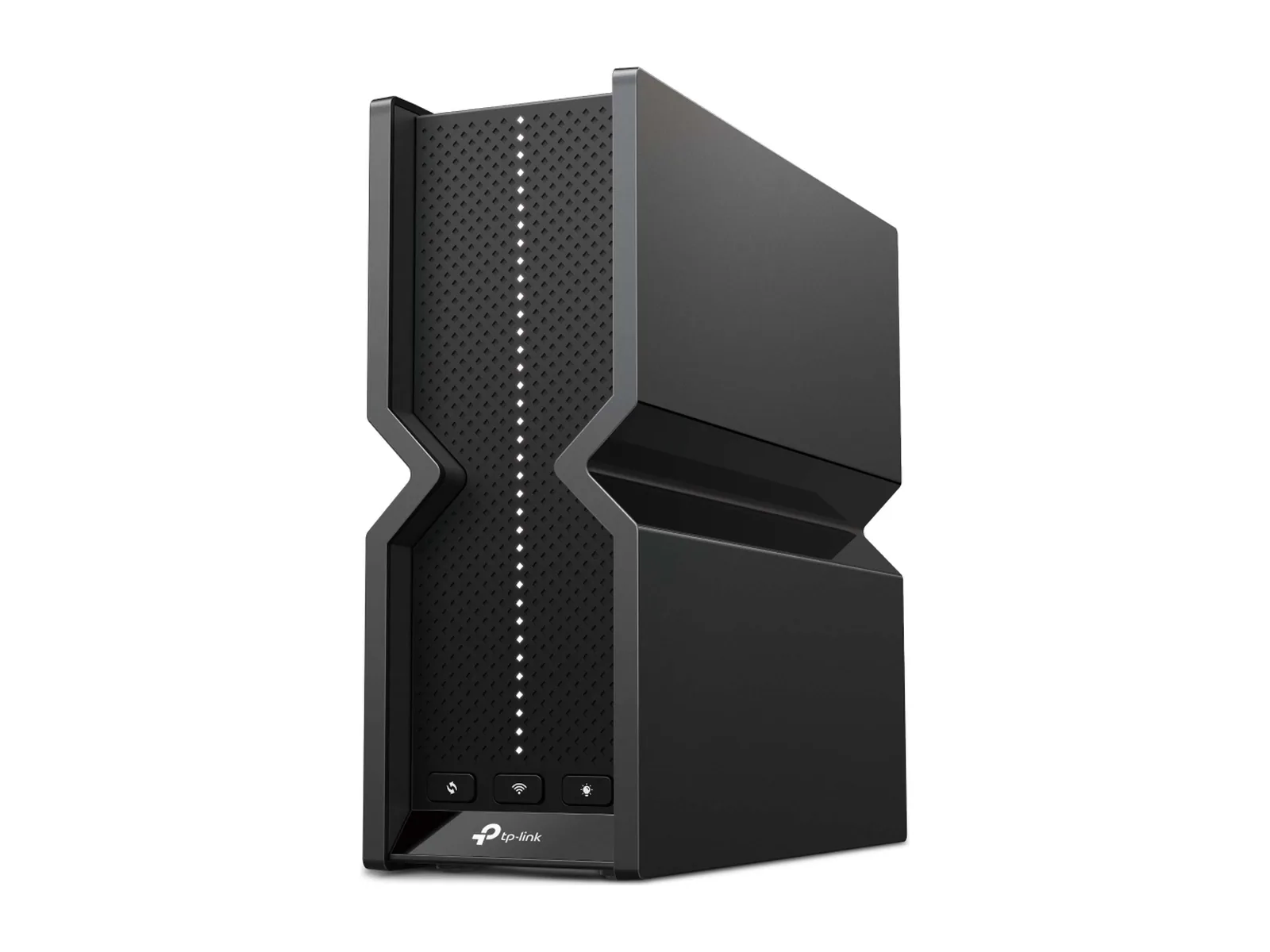
The TP-Link Archer BE550 shown here is an optional home-network purchase. TP-Link’s specifications list WPA3 and a separate IoT network. Use supported network separation to keep less-trusted devices apart from your gaming PC, and enable WPA3 where your consoles and other clients support it. Check isolation settings and firmware for your exact model.
These settings protect a different part of your setup. They cannot remove leaked records, change a stolen password, or stop someone signing into a remote service with valid credentials. Keep a working router if it meets your needs.
What information did Capcom confirm was exposed?
Capcom’s October 22 notice identifies 11,774,247 records containing email addresses and account-access metadata, including creation and last-login times, login counts, and last-login IP addresses. Within that total, 43 records also contained birth date, gender, country or region, and nickname. The number is a record count, not a confirmed count of unique people.
Passwords were changed without authorization on 196 accounts and have been reset. Capcom had not confirmed compromise of customers’ original passwords. It says it detected suspicious activity and began blocking access on October 19; its notice does not establish an October 2 to October 14 exposure window.
The October 23 follow-up identifies 19 accounts in Japan whose e-Capcom store details were also accessed, including names, addresses, phone numbers, and purchase histories. Credit card information was not affected.
Capcom warns about impersonation messages. The following steps address that warning and the separate risk from password reuse; they do not identify the attack’s cause.
Step 1: replace reused passwords and check account recovery
Open CAPCOM ID through a trusted bookmark or by typing the official address. If you cannot sign in, reach support from Capcom’s own website instead of following a recovery link in an unexpected message.
Set a unique password. If you used that password for your email, Steam, PlayStation Network, Xbox, or Nintendo account, change it separately on each service. Prioritize the email account used for recovery. Review recovery addresses, phone numbers, and active sessions where the account offers those controls.
Credential stuffing means trying a password obtained elsewhere against other services. Password reuse creates that risk even when a company has not confirmed that original passwords leaked. A linked console account does not, by itself, prove that its password or payment details were exposed.
Step 2: add supported authentication and keep recovery codes
Enable two-factor authentication or passkeys wherever the account supports them. Follow each platform’s own settings and save recovery codes somewhere you can access if your phone is lost. Use Steam’s own Steam Guard instructions for Steam; do not assume every gaming account accepts a USB security key.
For a recovery email account, Google documents security keys for 2-Step Verification, including FIDO1 and FIDO2 keys as a second step. Check the exact account, browser, operating system, and connector before choosing a key. For Microsoft or another provider, verify its current enrollment requirements directly.
A desk dock can make USB-A or USB-C ports easier to reach when a compatible physical key needs a touch. The Anker 575 A8392 specifications list both types of USB data port. A dock supplies connectivity; the key and account perform authentication. Start with a direct computer port, and confirm the key works through your dock before relying on it.
Buy a dock only if you need the extra connections. Compare host requirements in our USB-C and Thunderbolt docking station guide.
Step 3: verify messages before following recovery links
Treat an unexpected account warning as a reason to check the account directly. A message can include a real email address, nickname, or account detail and still be fraudulent. Targeted phishing, sometimes called spear-phishing, uses details about the recipient to make a message more convincing.
Avoid attachments and sign-in links in suspicious messages. Open the service independently, check its notifications, and contact support through its own site. Never send someone your password or a one-time authentication code.
Where monitoring and a VPN fit
Credential-leak or dark web monitoring may alert you when a monitored address appears in a known dataset. It cannot establish that every affected record has been found or erase information already exposed. Check which monitoring features a subscription actually includes before signing up.
A VPN can mask your public IP address from destinations and encrypt traffic between a supported device and the VPN server. That protection does not authenticate an email sender or make a phishing sign-in page safe. PC, console, and router support varies; check the provider’s setup requirements and current subscription terms.
Compare those limits in our gaming VPN guide. For another privacy issue that requires device-specific settings, see how to turn off Samsung TV ACR tracking.
Was my CAPCOM ID exposed in the data breach?
The public record count cannot answer that for an individual account. Check messages and account status through Capcom’s official channels, and use its support contact if you need help. A missing notification is not proof that your account was unaffected. Take the password-reuse precautions above while checking.
What to check before you buy
Finish account recovery and authentication first. A router, dock, or VPN serves a separate need; none is required to change your passwords or contact support.
If you were already planning a gaming-PC upgrade, our gaming CPU guide and GPU/PSU wattage calculator cover performance and power planning. Those tools do not assess account exposure.