Best high-refresh portable monitor for phones & laptops
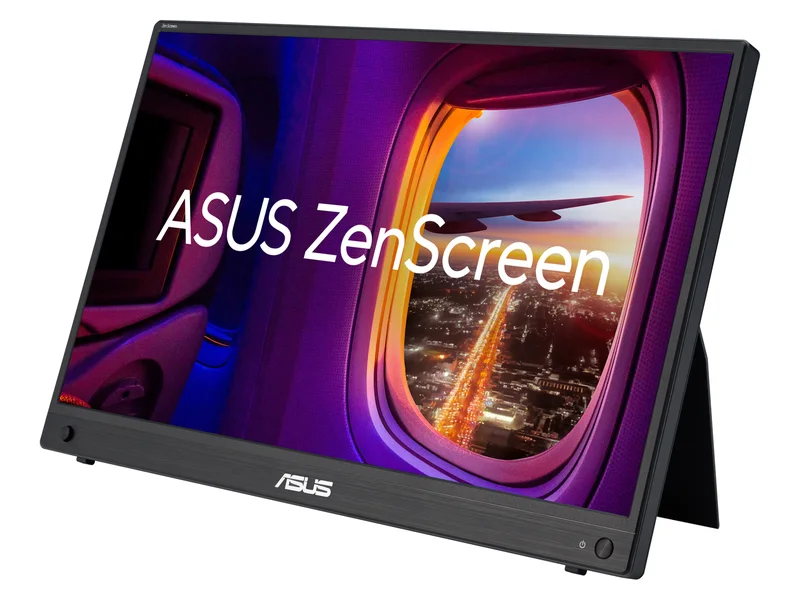
ASUS ZenScreen MB16AHG
A portable option for a source that can use 144Hz or needs mini HDMI.
15.6-inch IPS · 1920 × 1080 · Up to 144Hz

Neither an Apple foldable iPhone nor a Samsung Galaxy Z Fold 8 has been officially announced or confirmed by primary manufacturer specifications as of October 2026. If you want true multi-window portable screen real estate today, pair your existing USB-C phone or laptop with a 15.6-inch ASUS ZenScreen Portable Monitor and a CalDigit TS4 or Anker 575 dock.
5picks
We may earn a commission when you buy through our links. Affiliate disclosure
Quick list
15.6-inch IPS · 1920 × 1080 · Up to 144Hz
16-inch IPS · 2560 × 1600 · Up to 155Hz via USB-C
15.6-inch IPS · 1920 × 1080 · 60Hz
Thunderbolt 4 / compatible USB4; reduced functions on USB-C · Up to 98W · DisplayPort 1.4 and downstream Thunderbolt; host limits apply
USB-C, up to 10Gbps · Up to 85W · 2 × HDMI, 1 × DisplayPort; simultaneous modes depend on host
A portable option for a source that can use 144Hz or needs mini HDMI.
15.6-inch IPS · 1920 × 1080 · Up to 144Hz
A 16:10 portable screen with high-refresh USB-C video and mini HDMI.
16-inch IPS · 2560 × 1600 · Up to 155Hz via USB-C
A second screen for documents and browser windows; choose it for work, not high-refresh gaming.
15.6-inch IPS · 1920 × 1080 · 60Hz
A desktop expansion option for a compatible Thunderbolt or USB4 laptop.
Thunderbolt 4 / compatible USB4; reduced functions on USB-C · Up to 98W · DisplayPort 1.4 and downstream Thunderbolt; host limits apply
A conventional USB-C desk dock when its display modes and charging fit your laptop.
USB-C, up to 10Gbps · Up to 85W · 2 × HDMI, 1 × DisplayPort; simultaneous modes depend on host
ASUS ZenScreen MB16AHG · 1 of 5
15.6-inch IPS · 1920 × 1080 · Up to 144Hz
Get it if Travelers and handheld gamers who want a 144 Hz 1080p portable display that connects over a single USB-C cable to a DisplayPort Alt Mode smartphone, Steam Deck, or laptop.
Skip it if Your phone does not support USB-C DisplayPort Alt Mode video output or you need 4K desktop pixel density.
A portable option for a source that can use 144Hz or needs mini HDMI.
15.6-inch IPS · 1920 × 1080 · Up to 144Hz
| Screen | 15.6-inch IPS |
|---|---|
| Resolution | 1920 × 1080 |
| Refresh rate | Up to 144Hz |
| Ports | 2 × USB-C (DP Alt Mode), mini HDMI |
| Weight | 0.92 kg (ASUS) |
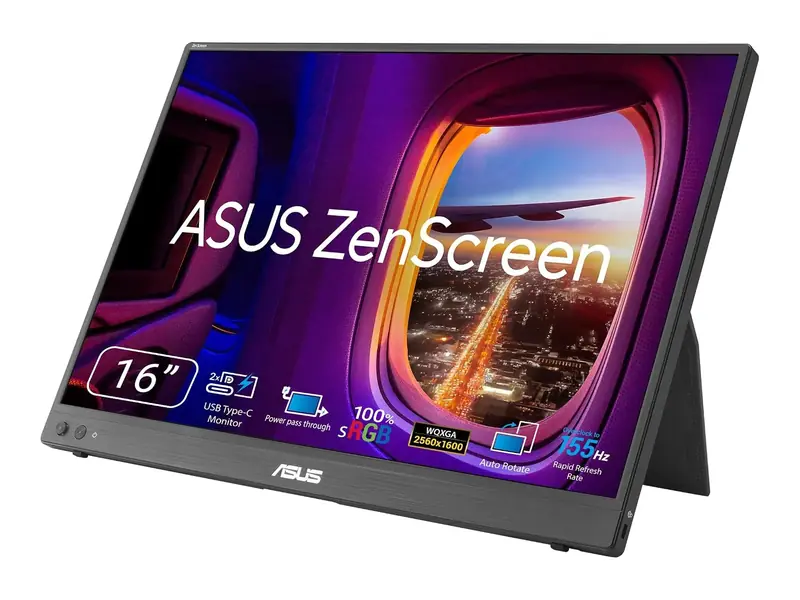
ASUS ZenScreen MB16NCG · 2 of 5
16-inch IPS · 2560 × 1600 · Up to 155Hz via USB-C
Get it if Laptop and handheld PC players who want tear-free variable refresh rate (VRR) gaming on a portable 15.6-inch panel.
Skip it if You only need a 60 Hz spreadsheet companion screen for occasional hotel work.
A 16:10 portable screen with high-refresh USB-C video and mini HDMI.
16-inch IPS · 2560 × 1600 · Up to 155Hz via USB-C
| Screen | 16-inch IPS, 16:10 (ASUS) |
|---|---|
| Resolution | 2560 × 1600 (ASUS) |
| Refresh rate | USB-C up to 155Hz; mini HDMI up to 120Hz (ASUS) |
| Ports | 2 × USB-C (DP Alt Mode), mini HDMI (ASUS) |
| Weight | 0.90 kg (ASUS) |
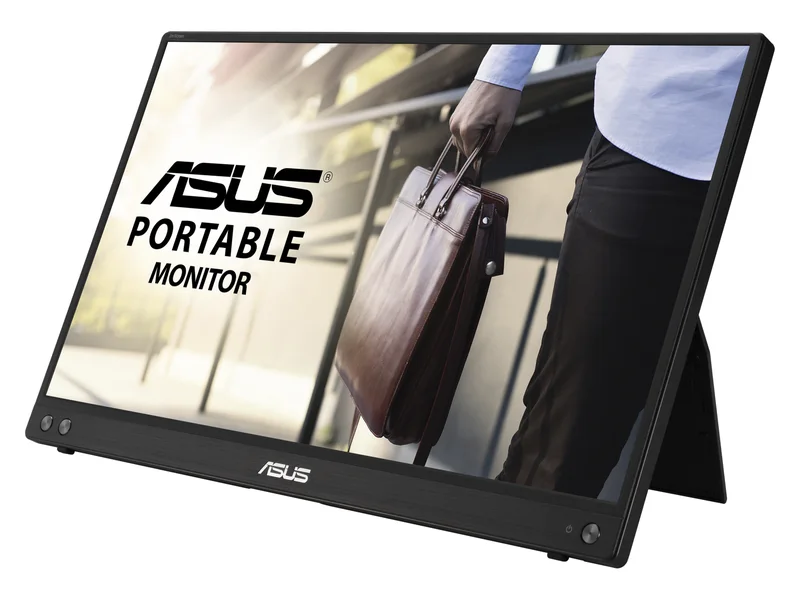
ASUS ZenScreen MB16ACV · 3 of 5
15.6-inch IPS · 1920 × 1080 · 60Hz
Get it if Remote workers who want a simple, lightweight 15.6-inch second display for coding, documents, and email alongside a laptop.
Skip it if You want 120 Hz or 144 Hz motion clarity for gaming.
A second screen for documents and browser windows; choose it for work, not high-refresh gaming.
15.6-inch IPS · 1920 × 1080 · 60Hz
| Screen | 15.6-inch IPS |
|---|---|
| Resolution | 1920 × 1080 |
| Refresh rate | 60Hz |
| Ports | 1 × USB-C; DP Alt Mode / USB hybrid signal |
| Weight | 0.9 kg (ASUS) |
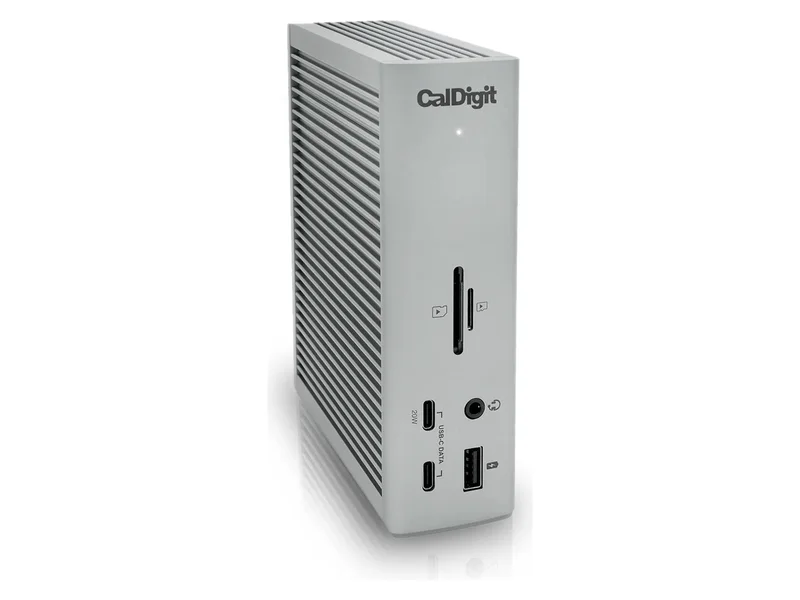
CalDigit TS4 Thunderbolt 4 Dock · 4 of 5
Thunderbolt 4 / compatible USB4; reduced functions on USB-C · Up to 98W · DisplayPort 1.4 and downstream Thunderbolt; host limits apply
Get it if Power users docking a MacBook, Windows laptop, or USB-C tablet/phone into dual desktop monitors, wired 2.5GbE LAN, and fast SD 4.0 card readers.
Skip it if Your host device only supports USB 3.2 Gen 1 without Thunderbolt or USB4 bandwidth.
A desktop expansion option for a compatible Thunderbolt or USB4 laptop.
Thunderbolt 4 / compatible USB4; reduced functions on USB-C · Up to 98W · DisplayPort 1.4 and downstream Thunderbolt; host limits apply
| Host connection | Thunderbolt 4 / compatible USB4; reduced functions on USB-C |
|---|---|
| Laptop charging | Up to 98W |
| Display connections | DisplayPort 1.4 and downstream Thunderbolt; host limits apply |
| Ethernet | 2.5Gbps; requires supported Thunderbolt/USB4 PCIe host |
| Host requirement | Verify exact host and display compatibility |
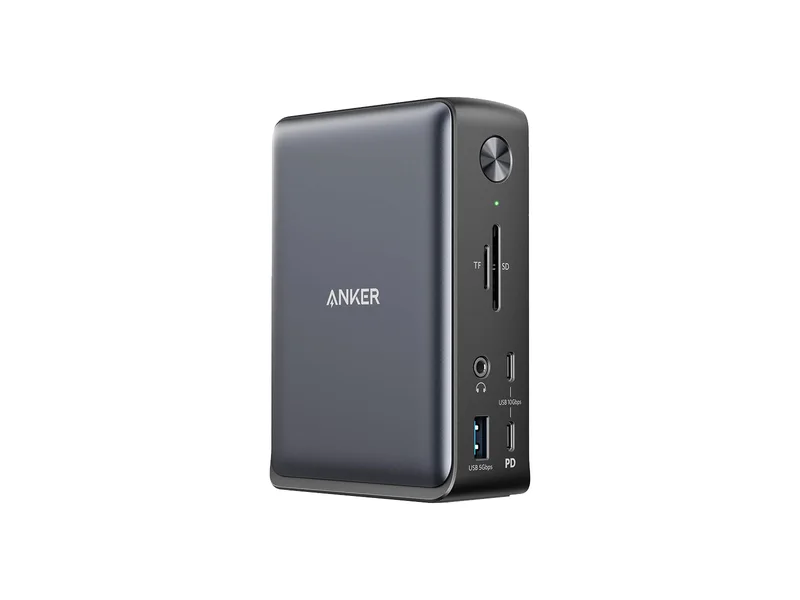
Anker 575 USB-C Docking Station A8392 · 5 of 5
USB-C, up to 10Gbps · Up to 85W · 2 × HDMI, 1 × DisplayPort; simultaneous modes depend on host
Get it if Home-office setups that need single-cable charging, external monitor output, and Gigabit Ethernet without stepping up to Thunderbolt 4 hardware.
Skip it if You need 2.5GbE networking or dual 4K 120 Hz Thunderbolt display pipelines.
A conventional USB-C desk dock when its display modes and charging fit your laptop.
USB-C, up to 10Gbps · Up to 85W · 2 × HDMI, 1 × DisplayPort; simultaneous modes depend on host
| Host connection | USB-C, up to 10Gbps |
|---|---|
| Laptop charging | Up to 85W |
| Display connections | 2 × HDMI, 1 × DisplayPort; simultaneous modes depend on host |
| Ethernet | 1Gbps |
| Host requirement | DisplayPort Alt Mode for video; Power Delivery for charging |
Should you wait for the iPhone Fold or Galaxy Z Fold 8 in 2026? Neither an Apple foldable iPhone nor a Samsung Galaxy Z Fold 8 has been announced or verified by official manufacturer datasheets as of October 2026. Instead of waiting on unverified supply-chain rumors for mobile multitasking, pair your current USB-C DisplayPort Alt Mode phone or laptop with the ASUS ZenScreen MB16AHG (15.6-inch 144 Hz portable monitor) and CalDigit TS4 dock for three times the screen area today.
| Option | Availability Status | Active Screen Area | Refresh Rate | Host Connectivity | Best For |
|---|---|---|---|---|---|
| Rumored “iPhone Fold / Duo” & “Galaxy Z Fold 8” | Unannounced supply-chain rumors (unverified) | ~7.6 to 8.0 inches diagonal (rumored inner crease) | Unconfirmed | Proprietary mobile chassis | Buyers willing to wait for official OEM keynote announcements |
| ASUS ZenScreen MB16AHG | Shipping now | 15.6-inch 16:9 (1920 x 1080) | 144 Hz FreeSync | Dual USB-C (DP Alt Mode) + Mini-HDMI | Smooth 144 Hz portable screen for USB-C phones, handhelds, and laptops |
| ASUS ZenScreen MB16NCG | Shipping now | 15.6-inch 16:9 (1920 x 1080) | 144 Hz G-SYNC Compatible | Dual USB-C (DP Alt Mode) + Mini-HDMI | Variable refresh rate portable PC and handheld gaming |
| CalDigit TS4 Thunderbolt 4 Dock | Shipping now | Drives up to dual 6K 60 Hz or single 8K external displays | Up to 240 Hz at 1440p via DP 1.4 | 18 ports, 98W PD, 2.5GbE LAN | Turning a laptop or USB-C tablet/phone into a full desktop workstation |
| Anker 575 13-in-1 USB-C Dock | Shipping now | Drives up to triple 1080p or single 4K 60 Hz | 60 Hz HDMI / DP | 13 ports, 85W PD, 1GbE LAN | Practical single-cable home-office docking |
Because The Hardware Pick only recommends hardware backed by verifiable manufacturer datasheets and independent third-party measurements (RTINGS and Monitors Unboxed), we never treat leaked supply-chain renders as confirmed product specs. We evaluated shipping USB-C portable monitors and docking stations against the core problem foldable buyers want to solve: portable multitasking and desktop convergence.
A 15.6-inch 16:9 portable monitor like the ASUS ZenScreen MB16AHG provides more than triple the surface area of a book-style foldable phone, sits at eye level on an integrated fold-out kickstand, and works across your phone, work laptop, and gaming handheld without locking you into a fragile plastic crease.
When paired with a compact Bluetooth keyboard and mouse, connecting a Samsung DeX phone or USB-C laptop to a 15.6-inch 144 Hz display gives you full desktop window management that no pocketable screen can match.
No, as of October 2026 neither Apple nor Samsung has published official hardware specifications, release dates, or press datasheets for an iPhone Fold (or iPhone Duo) or Galaxy Z Fold 8. Any circulating specifications are unverified supply-chain rumors and should not guide hardware purchasing decisions today.
Yes, if your smartphone supports USB-C DisplayPort Alternate Mode (including USB-C iPhone Pro models and Samsung Galaxy S and Z series phones with DeX), you can connect directly to the ASUS ZenScreen MB16AHG over USB-C. Connect a USB-C charger to the monitor’s second port so the screen does not drain your phone battery.
Choose the CalDigit TS4 if your laptop or tablet supports Thunderbolt 4 or USB4 and you want 98W charging, 2.5GbE Ethernet, and high-refresh 1440p or dual 4K display bandwidth. Choose the Anker 575 13-in-1 dock if you only need 85W charging, 60 Hz HDMI/DisplayPort outputs, and Gigabit Ethernet.
Image credits: ASUS ZenScreen MB16AHG — ASUS · ASUS ZenScreen MB16NCG — ASUS (via Amazon) · ASUS ZenScreen MB16ACV — ASUS · CalDigit TS4 Thunderbolt 4 Dock — CalDigit · Anker 575 USB-C Docking Station A8392 — Anker.