Best storage upgrade to track
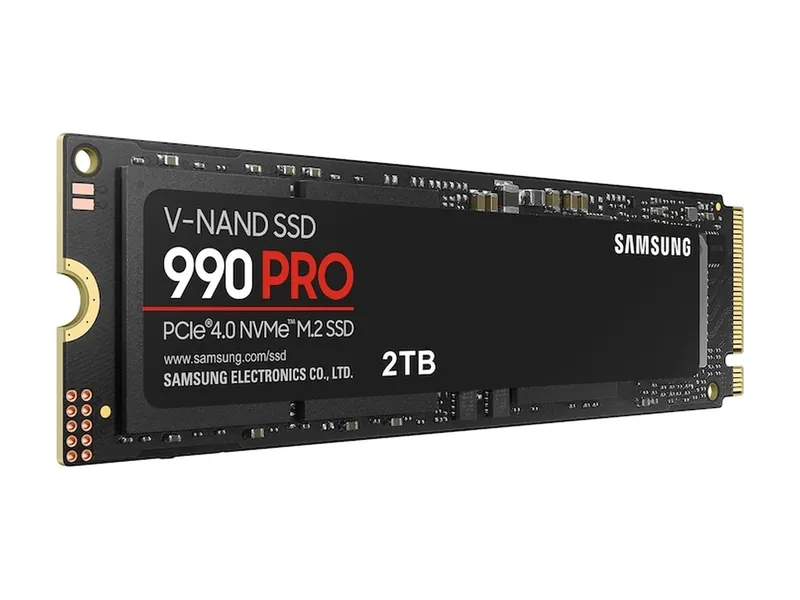
Samsung 990 PRO 2TB
A top-tier Gen4 drive. Plenty fast for games, and it works in any PCIe 4.0 slot.
PCIe 4.0 x4 · M.2 2280 · 7,450 MB/s · 2GB DRAM

The smartest Early Black Friday hardware upgrades in 2026 are proven PC components with multi-year lifespan: the Samsung 990 PRO 2TB NVMe SSD for storage expansion, the ASUS TUF Gaming VG27AQ3A 180 Hz 1440p monitor, the Logitech G PRO X SUPERLIGHT 2 wireless mouse, and the TP-Link Archer BE550 2.5GbE Wi-Fi 7 router. Skip ad-supported impulse smart speakers and DRAM-less mystery SSDs.
5picks
We may earn a commission when you buy through our links. Affiliate disclosure
Quick list
PCIe 4.0 x4 · M.2 2280 · 7,450 MB/s · 2GB DRAM
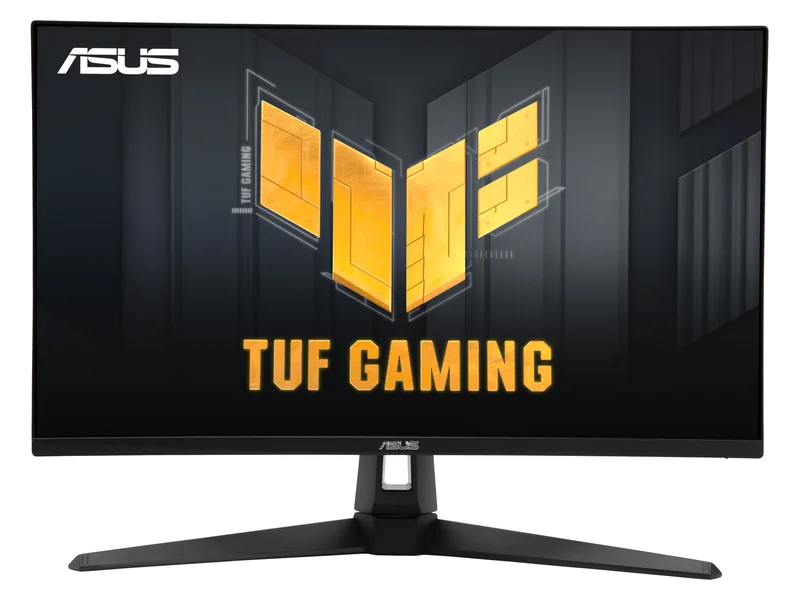
27-inch Fast IPS · 2560 × 1440 · Up to 180Hz DisplayPort; 144Hz HDMI
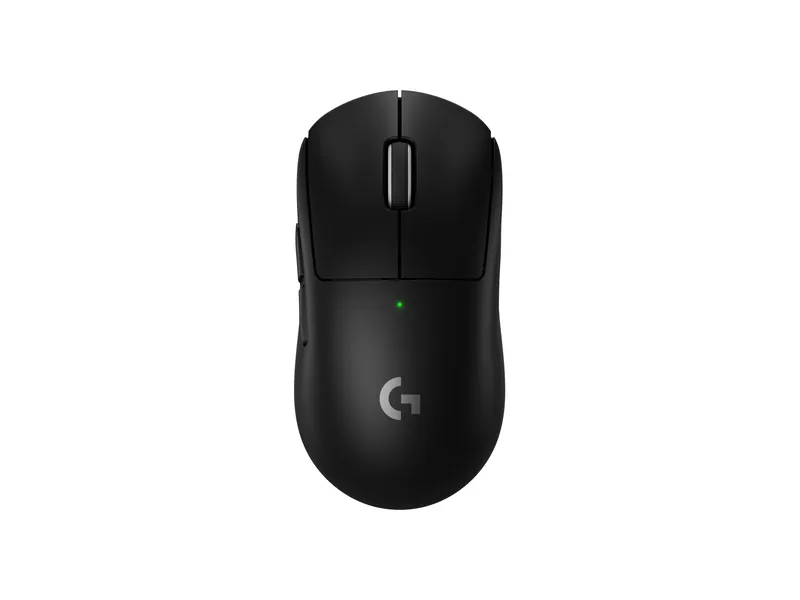
60 g · symmetrical · HERO 2 · 8 kHz LIGHTSPEED
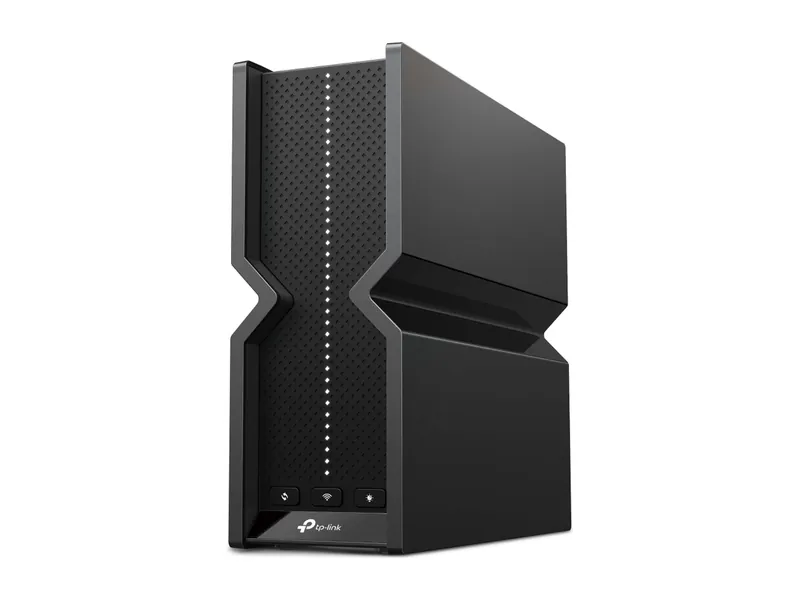
Tri-band BE9300 · 5× 2.5G · USB 3.0
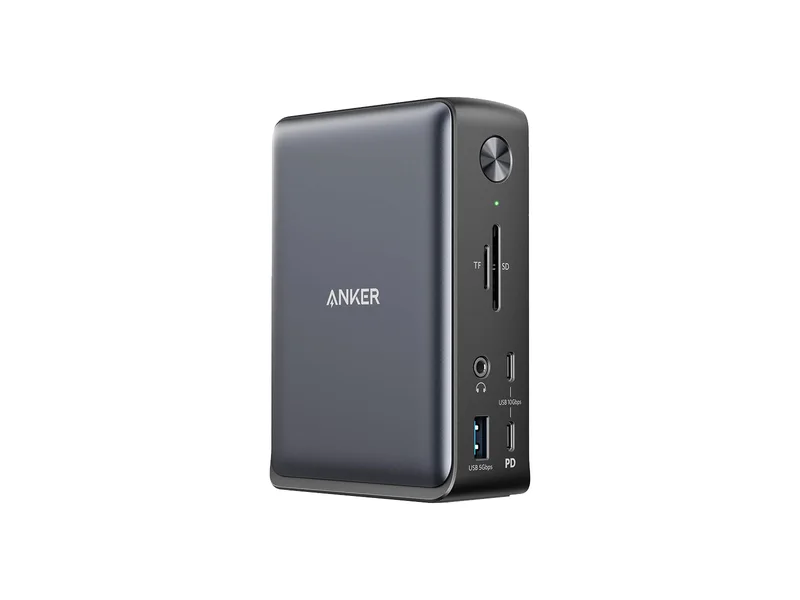
USB-C, up to 10Gbps · Up to 85W · 2 × HDMI, 1 × DisplayPort; simultaneous modes depend on host
A top-tier Gen4 drive. Plenty fast for games, and it works in any PCIe 4.0 slot.
PCIe 4.0 x4 · M.2 2280 · 7,450 MB/s · 2GB DRAM
A 1440p IPS candidate when the live checkout total meets your budget.
27-inch Fast IPS · 2560 × 1440 · Up to 180Hz DisplayPort; 144Hz HDMI
The safe symmetrical pick: light and fast.
60 g · symmetrical · HERO 2 · 8 kHz LIGHTSPEED
Tri-band with 6 GHz and five 2.5G ports. The sensible Wi-Fi 7 buy.
Tri-band BE9300 · 5× 2.5G · USB 3.0
A conventional USB-C desk dock when its display modes and charging fit your laptop.
USB-C, up to 10Gbps · Up to 85W · 2 × HDMI, 1 × DisplayPort; simultaneous modes depend on host
Samsung 990 PRO 2TB (MZ-V9P2T0B/AM) · 1 of 5
PCIe 4.0 x4 · M.2 2280 · 7,450 MB/s · 2GB DRAM
Get it if Desktop PC builders, laptop upgraders, and PS5 owners who want consistent sustained write speeds and DRAM-backed random I/O.
Skip it if Your motherboard only has PCIe 3.0 slots and you just need a secondary cold-storage game drive.
A top-tier Gen4 drive. Plenty fast for games, and it works in any PCIe 4.0 slot.
PCIe 4.0 x4 · M.2 2280 · 7,450 MB/s · 2GB DRAM
| Interface | PCIe 4.0 x4 · NVMe 2.0 (Samsung) |
|---|---|
| Sequential read | 7450 MB/s (Samsung) |
| Sequential write | 6900 MB/s (Samsung) |
| Random read (4K) | 1.4M IOPS, QD32 (Samsung) |
| Random write (4K) | 1.55M IOPS, QD32 (Samsung) |
| DRAM cache | 2GB LPDDR4 (Samsung) |
| NAND | Samsung V-NAND 3-bit MLC (TLC) |
| Endurance | 1200 TBW (Samsung) |
| Warranty | 5 years limited (Samsung) |
| Form factor | M.2 2280, no heatsink (this model) |
ASUS TUF Gaming VG27AQ3A · 2 of 5
27-inch Fast IPS · 2560 × 1440 · Up to 180Hz DisplayPort; 144Hz HDMI
Get it if PC gamers moving up from 1080p 60 Hz or 144 Hz panels who want crisp 1440p text clarity without OLED burn-in anxiety.
Skip it if You play in a dark room and want per-pixel HDR local dimming.
A 1440p IPS candidate when the live checkout total meets your budget.
27-inch Fast IPS · 2560 × 1440 · Up to 180Hz DisplayPort; 144Hz HDMI
| Screen | 27-inch Fast IPS |
|---|---|
| Resolution | 2560 × 1440 |
| Refresh rate | Up to 180Hz DisplayPort; 144Hz HDMI |
| Ports | DisplayPort 1.4, 2 × HDMI 2.0 |
| Stand | Tilt and swivel; no height adjustment |
Logitech G PRO X SUPERLIGHT 2 · 3 of 5
60 g · symmetrical · HERO 2 · 8 kHz LIGHTSPEED
Get it if Shooters and multi-genre PC players upgrading from a heavy wired mouse or worn mechanical switches.
Skip it if You prefer a sculpted right-handed ergonomic palm shape like the Razer DeathAdder V4 Pro.
The safe symmetrical pick: light and fast.
60 g · symmetrical · HERO 2 · 8 kHz LIGHTSPEED
| Weight | 60 g (Logitech) |
|---|---|
| Shape | Symmetrical (RTINGS) |
| Sensor | HERO 2 (Logitech) |
| Max DPI | 32000 DPI on the spec sheet; Logitech also advertises 44K DPI support |
| Max speed | 888 IPS+ (Logitech) |
| Polling rate | 8000 Hz wireless (Logitech) |
| Battery | Rechargeable; hours not listed on the US spec sheet |
| Connection | LIGHTSPEED 2.4 GHz wireless · USB-C |
| Switches | Hybrid optical-mechanical (Logitech) |
| Size | 125 × 63.5 × 40 mm (Logitech) |
TP-Link Archer BE550 BE9300 Tri-Band Wi-Fi 7 Router · 4 of 5
Tri-band BE9300 · 5× 2.5G · USB 3.0
Get it if Households with multi-gig fiber internet or a 2.5GbE home NAS that are still bottlenecked by an ISP-rented 1GbE Wi-Fi 5/6 router.
Skip it if You live in a small studio apartment with sub-gigabit internet and no wired NAS.
Tri-band with 6 GHz and five 2.5G ports. The sensible Wi-Fi 7 buy.
Tri-band BE9300 · 5× 2.5G · USB 3.0
| Wi-Fi class | BE9300 tri-band (TP-Link) |
|---|---|
| Bands | 6 GHz + 5 GHz + 2.4 GHz (TP-Link) |
| Max link rate (6 GHz) | 5760 Mbps (TP-Link) |
| Multi-gig ports | 1× 2.5G WAN + 4× 2.5G LAN (TP-Link) |
| USB | 1× USB 3.0 (TP-Link) |
| Mesh | EasyMesh compatible (TP-Link) |
| Size | 3.0 × 9.1 × 8.0 in (TP-Link) |
Anker 575 USB-C Docking Station A8392 · 5 of 5
USB-C, up to 10Gbps · Up to 85W · 2 × HDMI, 1 × DisplayPort; simultaneous modes depend on host
Get it if Remote workers who want a single USB-C cable connection for power, dual external monitors, and wired Ethernet.
Skip it if You need 2.5GbE LAN or Thunderbolt 4 bandwidth for dual 4K 120 Hz monitors.
A conventional USB-C desk dock when its display modes and charging fit your laptop.
USB-C, up to 10Gbps · Up to 85W · 2 × HDMI, 1 × DisplayPort; simultaneous modes depend on host
| Host connection | USB-C, up to 10Gbps |
|---|---|
| Laptop charging | Up to 85W |
| Display connections | 2 × HDMI, 1 × DisplayPort; simultaneous modes depend on host |
| Ethernet | 1Gbps |
| Host requirement | DisplayPort Alt Mode for video; Power Delivery for charging |
What PC hardware is actually worth buying during Early Black Friday 2026? Skip disposable ad-supported smart displays and focus on core desktop bottlenecks: the Samsung 990 PRO 2TB for DRAM-buffered PCIe 4.0 storage, the ASUS TUF Gaming VG27AQ3A for 180 Hz 1440p IPS gaming, the Logitech G PRO X SUPERLIGHT 2 for 60 g wireless input, and the TP-Link Archer BE550 for five-port 2.5GbE Wi-Fi 7 networking. Every pick below uses verified first-tier silicon with zero stealth component swaps.
| Hardware Pick | Category | Key Technical Spec | Bottleneck It Solves | Who Should Skip It |
|---|---|---|---|---|
| Samsung 990 PRO 2TB | PCIe 4.0 M.2 NVMe SSD | 7,450 MB/s read, 2 GB LPDDR4 DRAM, 1,200 TBW | Slow game shader decompression and full boot drives | PCIe 3.0-only secondary cold archives |
| ASUS TUF Gaming VG27AQ3A | 27-inch QHD Gaming Monitor | 2560 x 1440 Fast IPS, 180 Hz, G-SYNC Compatible | Blurry 1080p pixel density and 60 Hz motion smear | Dark-room HDR movie watchers needing OLED |
| Logitech G PRO X SUPERLIGHT 2 | Wireless Esports Mouse | 60 g shell, HERO 2 sensor, LIGHTFORCE switches | Heavy wired mouse drag and mechanical double-clicks | Right-handed palm grippers wanting contoured ergonomics |
| TP-Link Archer BE550 | Tri-Band Wi-Fi 7 Router | 6 GHz band + 5x 2.5GbE RJ45 ports | Congested 5 GHz Wi-Fi and 1GbE LAN bottlenecks | Studio apartments with basic internet |
| Anker 575 13-in-1 USB-C Dock | Laptop Docking Station | 85W USB-C PD + 2x HDMI + 1x DP + 1GbE | Unplugging four separate cables every morning | Dual 4K 120 Hz Thunderbolt 4 Mac setups |
Because The Hardware Pick is a research-based publication without an in-house lab bench, we evaluate seasonal hardware watchlist candidates by auditing controller silicon revisions, panel overdrive tables, and independent measurements from RTINGS, Monitors Unboxed, and TechPowerUp. We do not publish unverified promotional claims or volatile countdown prices.
Many bargain M.2 SSDs promoted during seasonal sales use DRAM-less controllers paired with QLC flash that drops slower than a mechanical hard drive once its small pseudo-SLC cache fills during a 100 GB game install. Choosing a DRAM-equipped TLC drive like the Samsung 990 PRO 2TB guarantees sustained throughput.
Similarly, off-brand 1440p monitors frequently exhibit severe inverse ghosting because their pixel overdrive tables are untuned below 120 Hz. The ASUS TUF Gaming VG27AQ3A combines variable overdrive with G-SYNC Compatible certification so motion stays clean as frame rates fluctuate.
In a desktop motherboard that includes an integrated M.2 metal thermal shield, the bare Samsung 990 PRO 2TB runs cool without an extra heatsink. If you are installing the drive into a PlayStation 5 expansion bay or an unshielded motherboard slot, add a low-profile M.2 heatsink to prevent thermal throttling.
Yes, if your current router only has 1GbE Ethernet ports or lacks the 6 GHz band. The TP-Link Archer BE550 gives Wi-Fi 6E laptops and phones access to uncongested 6 GHz channels right away while providing five 2.5GbE wired ports for desktop PCs and home NAS storage.
The Anker 575 USB-C Dock uses DisplayPort Multi-Stream Transport (MST) to drive multiple displays over a single USB-C cable, which Windows laptops support for dual or triple extended screens. Because macOS does not support DisplayPort MST over standard USB-C, MacBook users who need dual extended monitors should step up to the Thunderbolt 4 CalDigit TS4.
Image credits: Samsung 990 PRO 2TB — Samsung · ASUS TUF Gaming VG27AQ3A — ASUS · Logitech G PRO X SUPERLIGHT 2 — Logitech · Archer BE550 — TP-Link · Anker 575 USB-C Docking Station A8392 — Anker.