For travel gaming and HDMI
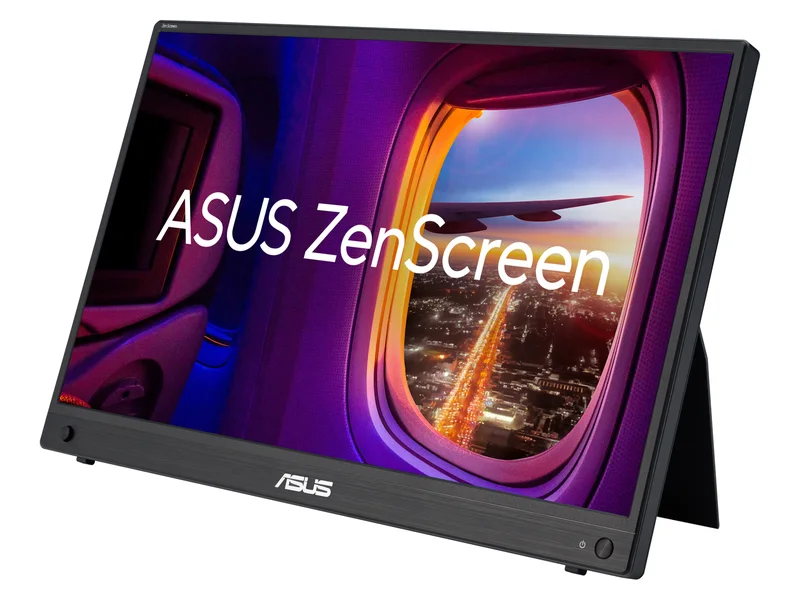
ASUS ZenScreen MB16AHG
A portable option for a source that can use 144Hz or needs mini HDMI.
15.6-inch IPS · 1920 × 1080 · Up to 144Hz

For 144Hz or mini HDMI, consider ASUS MB16AHG. For document work, our final use-case pick is MB16ACV. Confirm source video output and power requirements before choosing a portable monitor.
We may earn a commission when you buy through our links. As an Amazon Associate I earn from qualifying purchases. Affiliate disclosure
A portable option for a source that can use 144Hz or needs mini HDMI.
15.6-inch IPS · 1920 × 1080 · Up to 144Hz
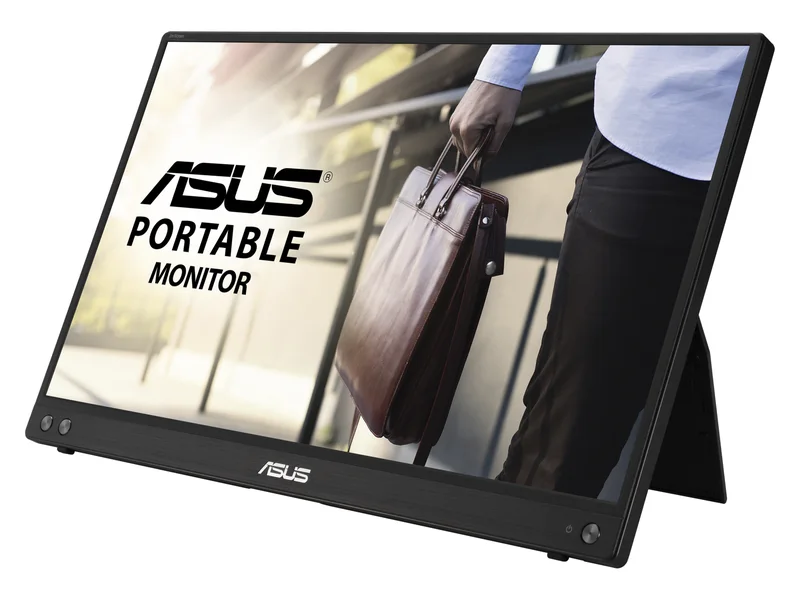
A second screen for documents and browser windows; choose it for work, not high-refresh gaming.
15.6-inch IPS · 1920 × 1080 · 60Hz
Alternatives first. The recommended use-case pick is last; these are not lab scores.
Jump to the final pickA portable option for a source that can use 144Hz or needs mini HDMI.
15.6-inch IPS · 1920 × 1080 · Up to 144Hz
A second screen for documents and browser windows; choose it for work, not high-refresh gaming.
15.6-inch IPS · 1920 × 1080 · 60Hz
ASUS ZenScreen MB16AHG · 1 of 2
Get it if You need mini HDMI or a higher-refresh portable display.
Skip it if Your source cannot deliver the intended mode, or you want built-in speakers.
A portable option for a source that can use 144Hz or needs mini HDMI.
15.6-inch IPS · 1920 × 1080 · Up to 144Hz
| Screen | 15.6-inch IPS |
|---|---|
| Resolution | 1920 × 1080 |
| Refresh rate | Up to 144Hz |
| Ports | 2 × USB-C (DP Alt Mode), mini HDMI |
| Weight | 0.92 kg (ASUS) |
ASUS ZenScreen MB16ACV · 2 of 2
Get it if You want a second workspace for documents, spreadsheets and a browser.
Skip it if You need HDMI, touch input or high-refresh gaming.
A second screen for documents and browser windows; choose it for work, not high-refresh gaming.
15.6-inch IPS · 1920 × 1080 · 60Hz
| Screen | 15.6-inch IPS |
|---|---|
| Resolution | 1920 × 1080 |
| Refresh rate | 60Hz |
| Ports | 1 × USB-C; DP Alt Mode / USB hybrid signal |
| Weight | 0.9 kg (ASUS) |
Pick two. Compare the numbers—not the marketing.
Choose two different products. Manufacturer specifications.
| Specification | | |
|---|---|---|
| Screen | ||
| Resolution | ||
| Refresh rate | ||
| Ports | ||
| Weight |
| Specification | | |
|---|---|---|
| At a glance | ||
| Screen | 15.6-inch IPS | 15.6-inch IPS |
| Resolution | 1920 × 1080 | 1920 × 1080 |
| Refresh rate | Up to 144Hz | 60Hz |
| Ports | 2 × USB-C (DP Alt Mode), mini HDMI | 1 × USB-C; DP Alt Mode / USB hybrid signal |
| Weight | 0.92 kg (ASUS) | 0.9 kg (ASUS) |
We compared five criteria: the intended workload, input compatibility, power requirements, usable refresh modes and travel setup. Sources are the ASUS specifications linked below; these criteria do not establish measured motion quality or battery life.
This is a research-based shortlist, not lab-tested. We compared the manufacturers’ connection requirements and specified display modes. We did not measure brightness, battery impact or motion quality. These are two distinct use cases, not an exhaustive ranking of every portable screen.
For a USB-C video connection, check the laptop’s manual for DisplayPort Alt Mode or the relevant Thunderbolt support. A USB-C-shaped socket and a charging cable alone do not establish video compatibility. Match the supplied cable to the monitor’s instructions.
The MB16ACV specification lists a hybrid USB connection. USB-A operation can involve a software path: confirm the driver and operating-system requirements before choosing it for a managed work laptop. Choose the MB16AHG if an HDMI input is essential; check how power is supplied when HDMI carries the picture.
For email, reference documents and browser tabs, start with the MB16ACV. Spend more on the MB16AHG only if its input options or refresh capability solve a specific problem. A higher refresh ceiling cannot improve a game that your source renders too slowly.
Measure the usable desk depth with the stand open. Include the laptop charger, monitor cable and any separate power supply in your travel kit. Neither option is a substitute for a weather-resistant outdoor display. Product-page brightness figures do not establish readable performance in direct sunlight.
Match the complete model suffix, included cable and condition. Search results can mix similar ZenScreen models; MB16ACV and MB16AHG are not interchangeable. Check who sells and ships it, return eligibility, warranty coverage and the current checkout total. We do not display Amazon prices or claim a live stock check.
For a fixed desk, compare 1440p gaming monitors instead. If a dock will sit between the laptop and display, review USB-C docking stations and verify the whole signal path.
Sometimes. Both devices, the cable and the chosen mode must support it. A blank screen can reflect an incompatible video port or inadequate power; consult the monitor manual before buying adapters.
It can be pleasant, but it is not a reason by itself to replace a working second screen. Prioritize the required input, comfortable placement and supported work-laptop configuration.
No. The current cards use a labeled generic AI illustration. Use the manufacturer specification and exact model name to identify the product; the artwork is not a product photograph.
Do not confuse a USB-C charging socket with a supported video output. Check the complete model suffix, cable and operating-system requirements before ordering.
Updated Oct 14, 2026: added buying criteria, common mistakes and an FAQ; added clearly labeled category illustrations.
For a fixed workspace on a tighter ceiling, compare budget 1440p monitor candidates before paying for portability.
Image credits: ASUS ZenScreen MB16AHG — ASUS · ASUS ZenScreen MB16ACV — ASUS.