
Is the 8BitDo Arcade Controller Pro good for Street Fighter 6? It is a candidate for Windows players who want a dedicated all-button layout, but independent latency and comfort reviews are needed before recommending it as the best leverless controller. If you also play shooters or need a typing board, compare our mechanical gaming keyboards, wireless gaming mice, and 360 Hz esports setup before adding another input device.
- PREORDER IT if: you already prefer leverless controls, have a supported platform, and accept buying before independent reviews.
- WAIT FOR REVIEWS if: you need measured input latency, feedback on the tighter spacing, or confirmation for your tournament setup.
- STICK TO AN 8K KEYBOARD if: you want one wired device for typing and several PC game genres, and your current keyboard layout already works for you.
What changed, and when does the Pro ship?
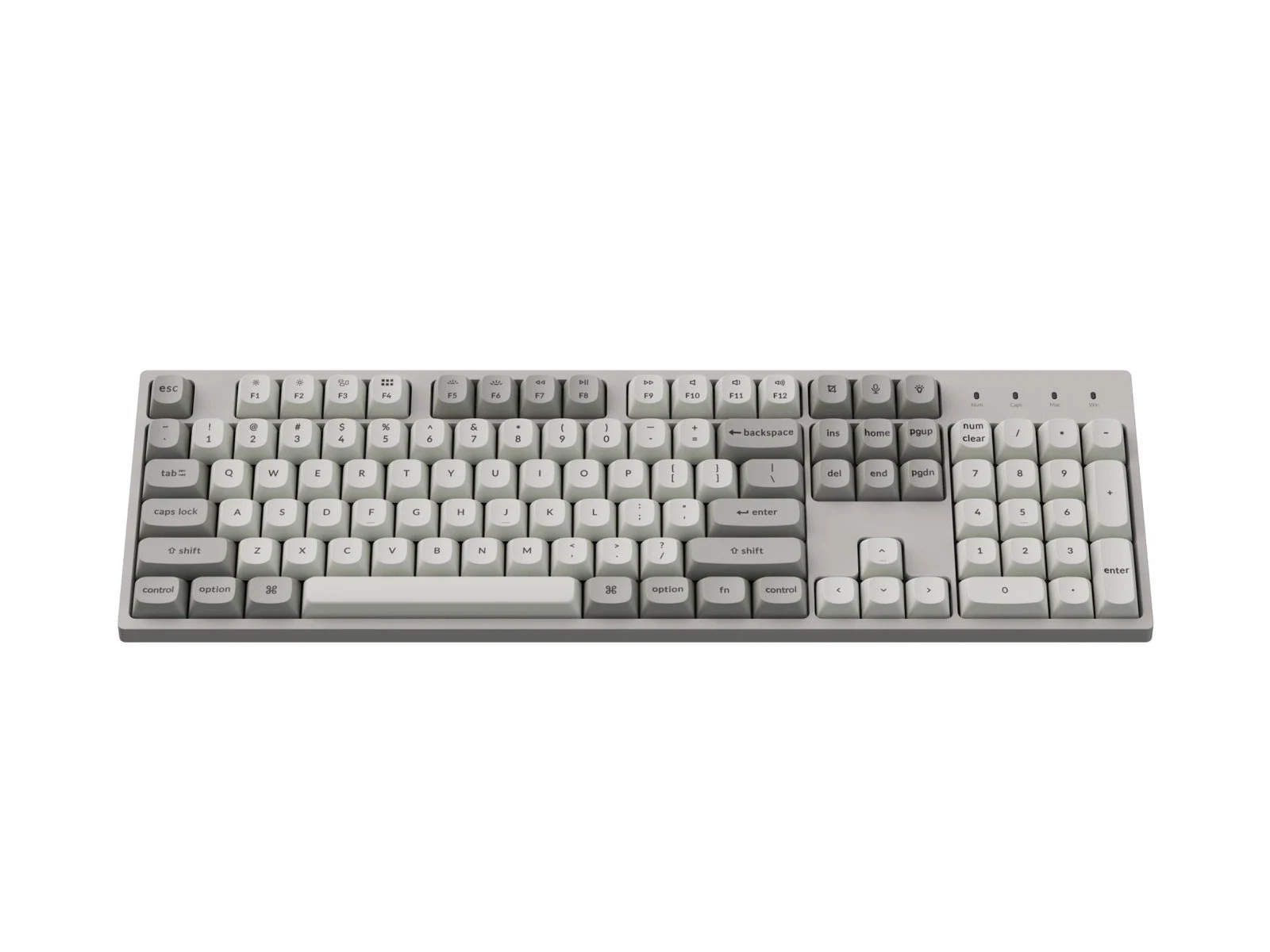
The Keychron above is the keyboard alternative pictured in this article. These store links lead to the keyboard, not the 8BitDo controller.
8BitDo opened Arcade Controller Pro preorders on October 25, according to Engadget’s report. The official eShop lists November 30, 2026 shipping and N Edition and White finishes. Check the shipping estimate for your region before ordering.
8BitDo’s specifications list a leverless, all-button design: fingers operate directional buttons instead of a joystick. Compared with the standard model, the Pro has smaller, more closely spaced buttons and five programmable inputs. Its 1.47-inch screen shows inputs and provides button-mapping and RGB controls.
A detachable magnetic wrist rest stores five flat lock caps. These replace programmable-button caps to prevent accidental presses; they are more specific than decorative replacement covers.
The Pro has a 3,000 mAh battery and a four-hour charge time. 8BitDo now rates wireless runtime at 15 hours with RGB off. That is a manufacturer estimate, not an independent endurance result. A larger battery alone does not establish longer runtime than the previous controller.
Leverless controller or gaming keyboard?
| Device | Layout and role | What to weigh |
|---|---|---|
| 8BitDo Arcade Controller Pro (Leverless) | Dedicated directional and action buttons; onboard screen | Tighter spacing, wrist rest, and settings on the device; review latency and fit before buying |
| 8BitDo Arcade Controller (Standard Leverless) | Earlier all-button layout | Compare the original spacing with the Pro before replacing one you already like |
| Keychron C2 Pro 8K (8,000 Hz Wired QMK/VIA) | Full-size wired keyboard; QMK and Launcher customization | More useful for typing and mixed PC games; polling rate alone does not measure end-to-end latency |
| Logitech G Pro X TKL Lightspeed | Tenkeyless keyboard with LIGHTSPEED wireless | Consider it if you want a smaller general-purpose gaming board; it is not a dedicated leverless controller |
Keychron specifies adjustable polling up to 8,000 Hz and QMK customization through Launcher. The page does not confirm VIA support, despite VIA appearing in its URL. Check its hardware requirements before choosing the highest polling setting.
The Logitech PRO X TKL keeps a conventional keyboard layout without a number pad. It is an alternative for a competitive PC desk when you need ordinary keys across games. Do not infer a latency ranking between it, the Keychron, and the Pro from their connection labels.
What to check before you buy for Street Fighter 6 or Tekken 8
8BitDo lists Windows and Switch-family support. For Street Fighter 6 or Tekken 8, check the Windows version you plan to use. The official compatibility list does not include PlayStation or Xbox. Confirm your event’s platform and controller rules before buying for a tournament.
Check how simultaneous opposite directional inputs, often called SOCD, are handled by the allowed settings. Programmable buttons and macro support do not establish tournament legality. Ask the organizer which settings are permitted, and keep its rules available when configuring the device.
The compact spacing may suit your finger reach, but it also changes the movement you have practiced on a wider layout. Look for reviews that show hand placement and repeated directional inputs. The screen can help you see which commands register; it does not prove the controller registers them faster.
Build around the games you actually play
For a desk that also handles competitive shooters, the Logitech G PRO X SUPERLIGHT 2 is a mouse option from our wireless gaming mouse guide. Choose its shape for your grip. A mouse serves a separate role from the leverless controller and will not improve fighting-game directional inputs.
If you are rebuilding the PC too, use our gaming CPU guide, our 1080p, 1440p, and 4K GPU hierarchy, and our GPU VRAM and PSU tier guide to match the games and display you use. Check power requirements with the GPU and PSU wattage calculator when changing graphics hardware. None of those upgrades is a prerequisite for trying leverless controls.
Our recommendation: wait for independent reviews unless you already know you prefer leverless inputs. Keep a working standard controller if the new layout solves no problem for you. For a keyboard that also covers work and other games, start with the mechanical gaming keyboard guide.