
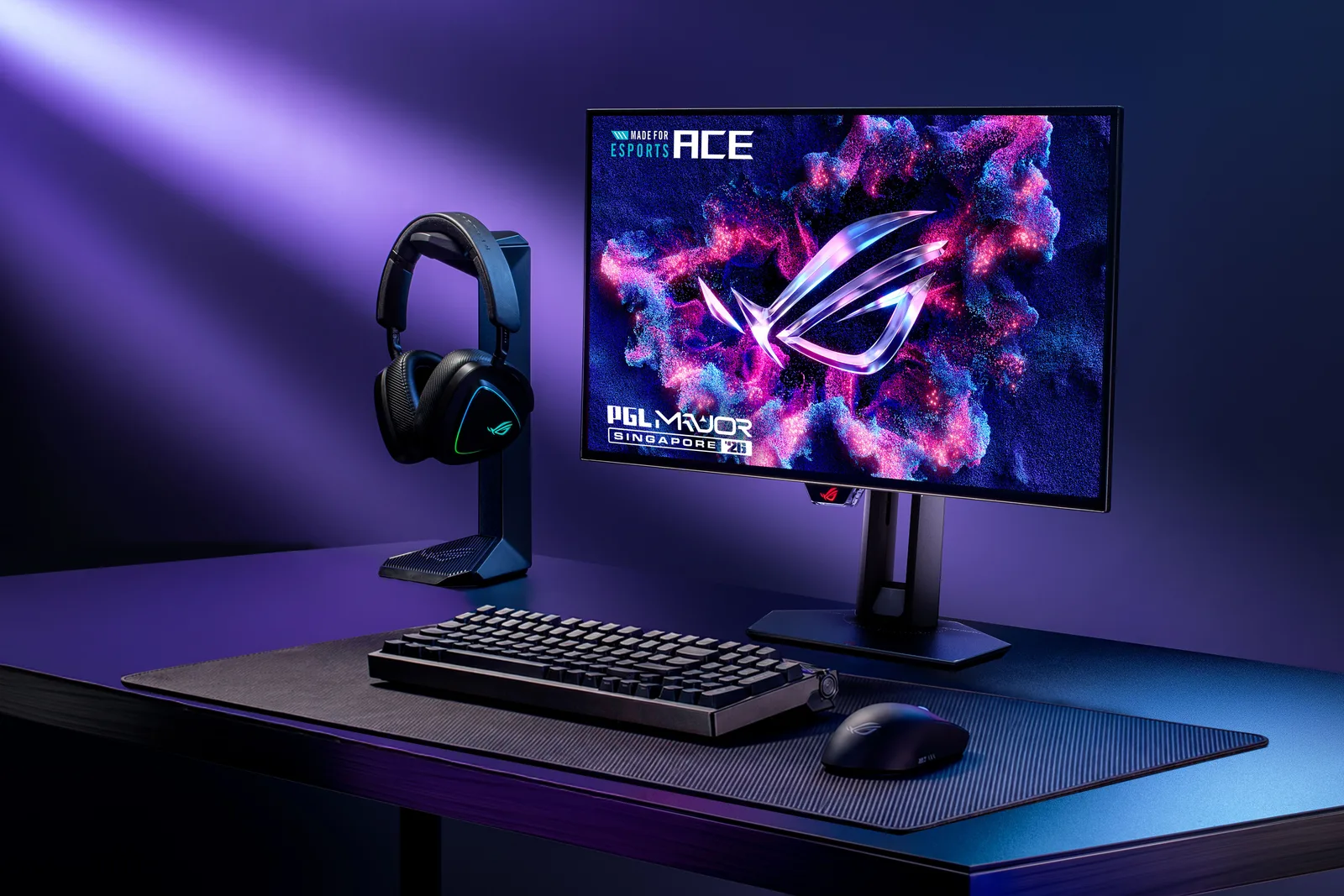
As of Oct 30, 2026, ASUS has announced availability of its 720Hz 1080p PG259QWS Ace OLED, but it is a sensible buy only for competitive FPS players whose PCs already approach 720 fps and have DisplayPort 2.1 UHBR20 with a suitable cable. Consider the 540Hz XG259QWPG Ace if your frame rates are lower or you lack that output; choose a 1440p OLED if resolution matters more. Wait if you need a confirmed US ship date or independent reviews: ASUS has not confirmed US shipping in its October 28 announcement.
What ASUS announced
The October 28 ASUS press release introduces two 24.5-inch, 1920 x 1080 monitors with TrueBlack Glossy Tandem WOLED panels: the ROG Swift OLED PG259QWS Ace at 720Hz and the ROG Strix OLED XG259QWPG Ace at 540Hz. ASUS identifies the Swift as the official monitor of PGL CS2 Major Singapore 2026.
The distinction is full-resolution refresh. In its esports OLED coverage, PC Gamer notes that many larger OLEDs reach their highest refresh rates only at 720p and that, for professional CS2, “24/25-inch monitors are preferred.” The PG259QWS Ace targets that smaller-screen audience while retaining 1080p at 720Hz.
ASUS set US MSRPs at Gamescom, and the 540Hz model has the lower MSRP. Check the current price at checkout. A UK retailer lists an expected Nov 25 delivery, per connect.de; that is a UK estimate, not a US ship date confirmed by ASUS.
This is a source-based buying check. We have not measured either monitor’s motion clarity, latency, brightness or burn-in performance.
720Hz vs 540Hz: what actually differs
The specifications below come from ASUS’s October 28 announcement. The Position Sensor and DisplayPort connection are practical differences alongside refresh rate.
| ASUS-listed feature | PG259QWS Ace | XG259QWPG Ace |
|---|---|---|
| Panel | 24.5-inch TrueBlack Glossy Tandem WOLED | 24.5-inch glossy Tandem WOLED |
| Resolution | 1920 x 1080 | 1920 x 1080 |
| Maximum refresh | 720Hz | 540Hz |
| DisplayPort | 1 x DP 2.1 UHBR20, 80Gbps | 1 x DP 1.4 with DSC |
| HDMI | 2 x HDMI 2.1 FRL, 48Gbps | 2 x HDMI 2.1 FRL, 48Gbps |
| Position Sensor | Yes, reports tilt, height and viewing distance | No |
| Burn-in warranty | Three years, including OLED burn-in | Three years, including OLED burn-in |
The Position Sensor is for reproducing your monitor setup, such as its height and distance from your seat. It does not establish a measured advantage in your games.
Both have OLED Care Pro and a Neo Proximity Sensor according to ASUS. The PG259QWS Ace product page also says its GaNFET thermal solution reduces burn-in risk. That is an ASUS claim, not proof that burn-in cannot occur. Read the applicable warranty terms before ordering.
What your PC needs for 720Hz
Check your games, GPU output and cable before choosing the 720Hz model. A monitor’s refresh ceiling does not establish the frame rate your PC will deliver.
- Measure the games you actually play. Check frame rates at your intended 1080p competitive settings during play. TechTimes reports that using the full refresh rate calls for 720 or more rendered frames per second. It describes systems producing 200 to 400 fps in CS2 as a more practical fit for the 540Hz model. Those are its examples, not our PC benchmarks.
- Verify the exact GPU output. ASUS lists DP 2.1 UHBR20 with 80Gbps for full 720Hz operation. Its US product page says that connection drives 720Hz “without compression”. Check the specification for your exact graphics card’s output rather than relying on its model family alone.
- Verify the cable too. Confirm that it supports the required DP 2.1 UHBR20 connection. TechTimes warns that HDMI 2.1 or older DisplayPort connections will not deliver 720Hz at full quality. Do not assume an existing cable or HDMI port provides the same result.
If your PC lacks UHBR20, the XG259QWPG Ace’s DP 1.4 DSC connection makes it worth considering. Confirm support for its intended mode on your own GPU before purchase. A lower refresh ceiling still needs enough game performance to make the purchase useful.
Who should buy, wait or skip
- Buy the 720Hz model only if competitive FPS is your priority, your PC already runs near 720 fps in those games, and you have the required output and cable. Confirm the seller’s shipping and return terms before committing.
- Consider the 540Hz model if your PC falls below that frame-rate target or lacks DP 2.1 UHBR20. It keeps the same panel size and resolution with a lower refresh ceiling and lower announced MSRP.
- Wait if you need a confirmed US ship date, independent testing or evidence that the difference matters in your games. The availability announcement alone does not settle those questions.
- Skip these 1080p models if you mostly play single-player games or prefer 1440p or 4K content. Start with our 1440p gaming monitor guide and choose around the resolution you want to use.
Would a 1440p dual-mode OLED fit better?
The existing ASUS ROG Swift OLED PG27AQWP-W is a different option: a 26.5-inch Tandem WOLED with 540Hz at 1440p and a 720Hz Dual Mode at 1280 x 720. Its 720Hz mode reduces resolution; the new PG259QWS Ace keeps 1920 x 1080 at 720Hz. Choose the PG27AQWP-W for its 1440p mode if that better matches your games and everyday use.
Check price at Amazon for the 1440p ASUS PG27AQWP-W alternative.
For another resolution and refresh trade-off, read our ASUS XG27ACDMSR 320Hz QD-OLED buying check. Our Black Friday monitor watchlist and deals hub provide further buying checks; verify current checkout details for any listing you consider.
Our recommendation: Buy 720Hz only if your PC can use it
Choose the PG259QWS Ace only when your existing game performance and DP 2.1 UHBR20 connection support its main selling point. Consider the XG259QWPG Ace for lower frame rates or a DP 1.4 DSC setup, and wait if shipping certainty or independent reviews matter to your decision. For a broader mix of games, compare the 1440p options before committing to a 1080p esports display.