
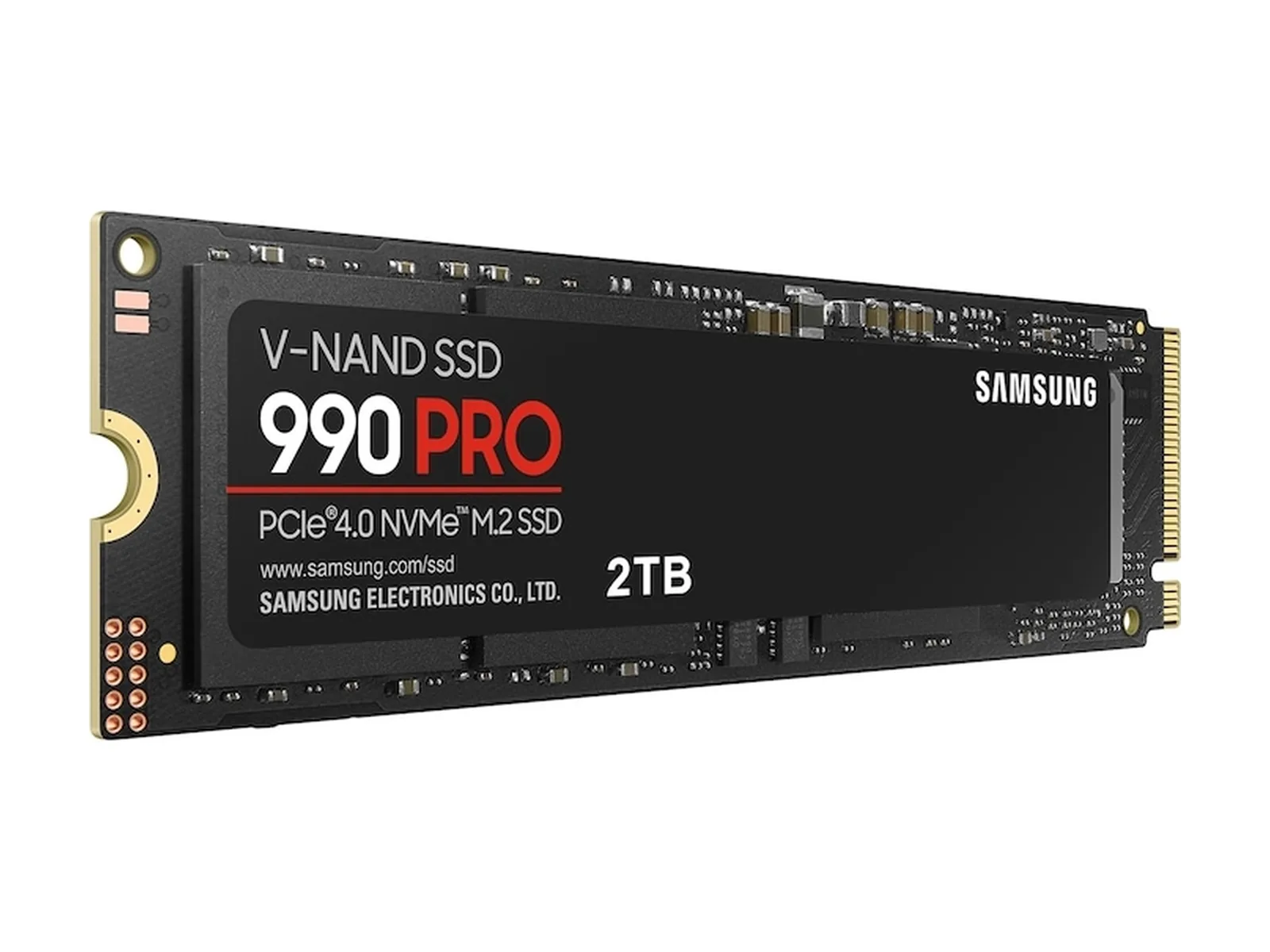
Quick answer: Buy a compatible 2TB PCIe 4.0 SSD if limited space is blocking an upgrade you need soon; wait if your current drive has room. For the NVMe SSD supply squeeze in 2026, start with our NVMe SSD picks and older gaming PC upgrade checklist before choosing a drive.
- BUY NOW if: Your primary SSD is over 80% full, or you need 2 TB for games or editing within the next 30–60 days. Consider a Samsung 990 PRO, WD_BLACK SN850X with heatsink, or WD_BLACK SN7100 instead of replacing the whole PC.
- WAIT if: You have more than 500 GB free and no project or installation is blocked by a lack of storage.
- SKIP if: You are paying a premium for PCIe 5.0 only to load games on a PCIe 4.0 motherboard, or you lack suitable M.2 cooling. Choose a drive that fits your slot and workload; sequential-speed ratings alone do not establish game-loading gains.
Should you buy a 2TB NVMe SSD now or wait?
We may earn a commission when you buy through these links.
If you are asking, “Should I buy a 2TB NVMe SSD now?”, check what you cannot install or finish today. The 80% and 500 GB thresholds above are our planning guidelines, not manufacturer limits or predictions about the next retail promotion.
A full boot drive makes an additional 2TB drive worth considering. A working PC with spare capacity gives you time to compare compatible models. Neither case calls for buying spare drives because of an industry forecast.
What the TLC NAND supply shift means for 2TB PC builders
Tom’s Hardware reported on November 10, 2025 that Phison CEO Khein-Seng Pua said NAND prices had more than doubled and manufacturers had told him their 2026 capacity was sold out. That is a dated supply-chain account, not a measurement of today’s consumer SSD inventory.
TrendForce’s June 2026 enterprise SSD analysis describes severe supply imbalances as AI demand grows and suppliers shift capacity toward enterprise storage. That supports concern about NAND allocation. It does not establish how much a particular consumer 2 TB or 4 TB drive will cost next month, or whether a retailer will run a promotion.
What we know: enterprise demand is competing for NAND capacity. What we do not know: the timing and size of any change for these three retail models. Make the upgrade decision around capacity you need, physical fit, and the workload you will run.
Dedicated DRAM vs DRAM-less 2TB NVMe SSDs: spec comparison
Samsung and SanDisk publish the interface, peak sequential ratings, and endurance figures below. The local product references identify the SN7100’s HMB architecture. These are specifications, not results from our own testing; peak write ratings do not describe every sustained transfer.
| 2TB drive | Interface | Architecture / DRAM cache | Seq. read / write, up to | Endurance TBW | Best use case |
|---|---|---|---|---|---|
| Samsung 990 PRO 2TB | PCIe 4.0 x4, NVMe 2.0 | Dedicated 2 GB LPDDR4 DRAM | 7,450 / 6,900 MB/s | 1,200 | Primary OS drive or editing scratch disk |
| WD_BLACK SN850X 2TB (Heatsink) | PCIe 4.0 x4 | Dedicated DRAM; integrated heatsink | 7,300 / 6,600 MB/s | 1,200 | PS5 or desktop with suitable heatsink clearance |
| WD_BLACK SN7100 2TB | PCIe 4.0 x4 | DRAM-less, host memory buffer (HMB); BiCS8 TLC | 7,250 / 6,900 MB/s | 1,200 | Compatible laptop or secondary PC game library |
The DRAM vs DRAM-less NVMe SSD gaming decision in 2026 depends on the job. We favor dedicated DRAM for a busy OS and scratch-disk role. The SN7100 is an alternative for a game library or laptop where the bare-drive form factor fits. SanDisk lists five-year limited warranties for these WD_BLACK models; Samsung lists the same term for the 990 PRO. Read each model’s endurance and warranty conditions before buying.
Pre-purchase M.2 upgrade checklist for desktops and laptops
- Check the slot. Read the motherboard or laptop manual for PCIe generation, NVMe support, drive length, and any shared lanes. Compare the exact drive with our NVMe SSD guide. A Gen5 label is no reason to replace a working Gen4 platform.
- Check cooling and clearance. The SN850X heatsink model suits a compatible PS5 bay or desktop slot. For a laptop that requires a bare, single-sided module, confirm the exact drive’s sidedness and clearance in its documentation. Do not assume a desktop heatsink fits under a laptop cover or another M.2 shield.
- Match cache architecture to the work. Consider dedicated DRAM for the OS and scratch disk; consider HMB for a PC Steam library. HMB uses host system memory, so check how much RAM your gaming PC needs separately. More SSD space does not replace system RAM.
- Plan the rest of the upgrade. Follow the older PC upgrade checklist. If a GPU is also on your list, check its power requirements with the GPU and PSU calculator. Keep the separate DDR5 buy-or-wait decision tied to your memory needs.
Verified 2TB NVMe SSDs to compare today
Samsung 990 PRO 2TB
Choose this for a primary boot or scratch-disk upgrade when you want dedicated DRAM. Samsung specifies 2 GB LPDDR4 for the 2TB model. This bare-drive version needs a suitable cooling arrangement where the system requires one.
WD_BLACK SN850X 2TB with heatsink
Choose this when the integrated heatsink fits your PS5 or desktop. Check the heatsink version specifically; a listing for the bare model is a different physical configuration.
WD_BLACK SN7100 2TB
Choose this for a compatible laptop or secondary PC game drive if you do not need dedicated DRAM. SanDisk specifies peak sequential ratings of 7,250 MB/s read and 6,900 MB/s write for the 2TB model. Confirm the 2280 module fits your device.
Our verdict: Buy / Wait / Skip
Buy a compatible Gen4 drive when storage is blocking work or games you plan to install soon. Wait when you have ample free space. Skip a platform or Gen5 upgrade chosen only for its headline sequential rating. Use our NVMe SSD buying guide to compare the options before opening a retailer listing.