Best NVMe SSD for NAS cache & Docker pools
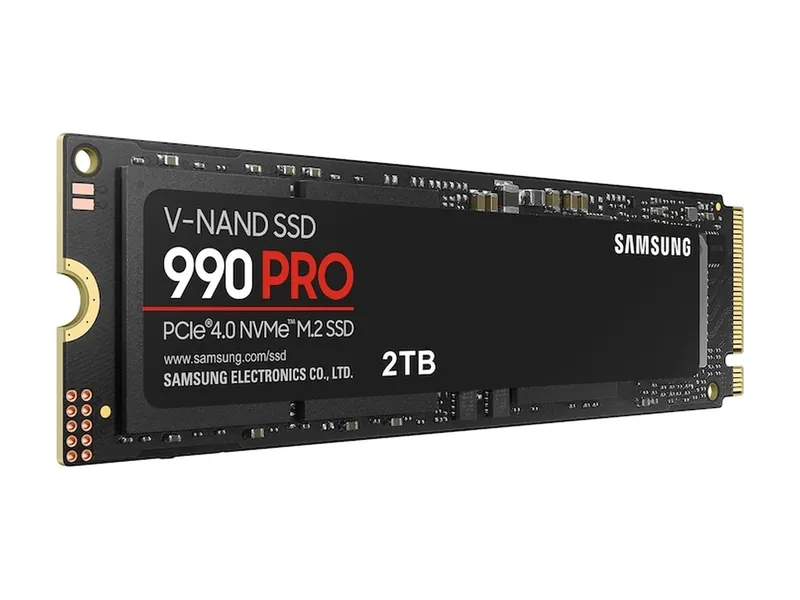
Samsung 990 PRO 2TB
A top-tier Gen4 drive. Plenty fast for games, and it works in any PCIe 4.0 slot.
PCIe 4.0 x4 · M.2 2280 · 7,450 MB/s · 2GB DRAM

Choose UGREEN NASync (DXP4800 Plus or DXP2800) if you want superior hardware per bay, including standard 2.5GbE and 10GbE LAN ports, modern Intel processors with QuickSync hardware transcoding, and unlocked third-party NVMe SSD compatibility. Choose Synology Plus (DS923+ or DS423+) if turnkey DSM 7.2 software, Active Backup, and SHR mixed-drive expansion matter more than raw bandwidth.
4picks
We may earn a commission when you buy through our links. Affiliate disclosure
Quick list
PCIe 4.0 x4 · M.2 2280 · 7,450 MB/s · 2GB DRAM
PCIe 4.0 x4 · M.2 2280 · heatsink · 7,300 MB/s
PCIe 4.0 x4 · M.2 2280 · DRAM-less · 7,250 MB/s
Tri-band BE9300 · 5× 2.5G · USB 3.0
A top-tier Gen4 drive. Plenty fast for games, and it works in any PCIe 4.0 slot.
PCIe 4.0 x4 · M.2 2280 · 7,450 MB/s · 2GB DRAM
Drop-in PS5 upgrade: Gen4 speed, built-in heatsink, within Sony's size limits.
PCIe 4.0 x4 · M.2 2280 · heatsink · 7,300 MB/s
Near-flagship Gen4 speeds without a DRAM cache.
PCIe 4.0 x4 · M.2 2280 · DRAM-less · 7,250 MB/s
Tri-band with 6 GHz and five 2.5G ports. The sensible Wi-Fi 7 buy.
Tri-band BE9300 · 5× 2.5G · USB 3.0
Samsung 990 PRO 2TB (MZ-V9P2T0B/AM) · 1 of 4
PCIe 4.0 x4 · M.2 2280 · 7,450 MB/s · 2GB DRAM
Get it if UGREEN NASync and custom home-server builders running Docker containers, Immich photo indexing, and SMB read/write caching over 2.5GbE or 10GbE networks.
Skip it if Your NAS only has a 1GbE network port where spinning hard drives already saturate available wire speed.
A top-tier Gen4 drive. Plenty fast for games, and it works in any PCIe 4.0 slot.
PCIe 4.0 x4 · M.2 2280 · 7,450 MB/s · 2GB DRAM
| Interface | PCIe 4.0 x4 · NVMe 2.0 (Samsung) |
|---|---|
| Sequential read | 7450 MB/s (Samsung) |
| Sequential write | 6900 MB/s (Samsung) |
| Random read (4K) | 1.4M IOPS, QD32 (Samsung) |
| Random write (4K) | 1.55M IOPS, QD32 (Samsung) |
| DRAM cache | 2GB LPDDR4 (Samsung) |
| NAND | Samsung V-NAND 3-bit MLC (TLC) |
| Endurance | 1200 TBW (Samsung) |
| Warranty | 5 years limited (Samsung) |
| Form factor | M.2 2280, no heatsink (this model) |
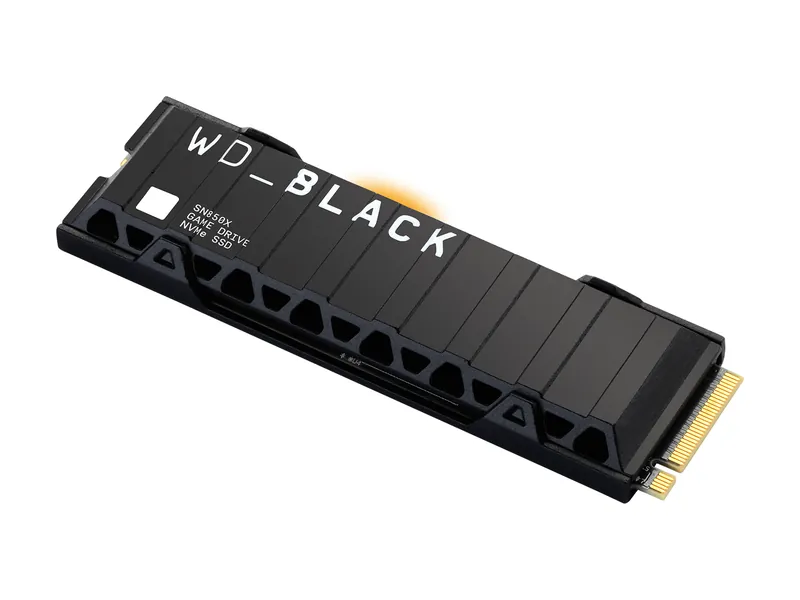
WD_BLACK SN850X 2TB with heatsink (WDS200T2XHE) · 2 of 4
PCIe 4.0 x4 · M.2 2280 · heatsink · 7,300 MB/s
Get it if Creators editing 4K footage directly off an NVMe storage pool who have sufficient M.2 slot clearance for an integrated heatsink.
Skip it if Your NAS M.2 bay sits underneath a tight metal cover that only accepts bare single-sided 2280 drives.
Drop-in PS5 upgrade: Gen4 speed, built-in heatsink, within Sony's size limits.
PCIe 4.0 x4 · M.2 2280 · heatsink · 7,300 MB/s
| Interface | PCIe 4.0 x4 NVMe (SanDisk) |
|---|---|
| Sequential read | 7300 MB/s (SanDisk, 2TB) |
| Sequential write | 6600 MB/s (SanDisk, 2TB) |
| Random read (4K) | 1.2M IOPS (SanDisk, 2TB) |
| Random write (4K) | 1.1M IOPS (SanDisk, 2TB) |
| Endurance | 1200 TBW (SanDisk, 2TB) |
| Warranty | 5 years limited (SanDisk) |
| Form factor | M.2 2280 with heatsink · 8.9 mm tall (SanDisk datasheet) |
| Brand note | Now sold under SanDisk; the WD_BLACK line is becoming SANDISK Optimus (SanDisk, Jan 2026) |
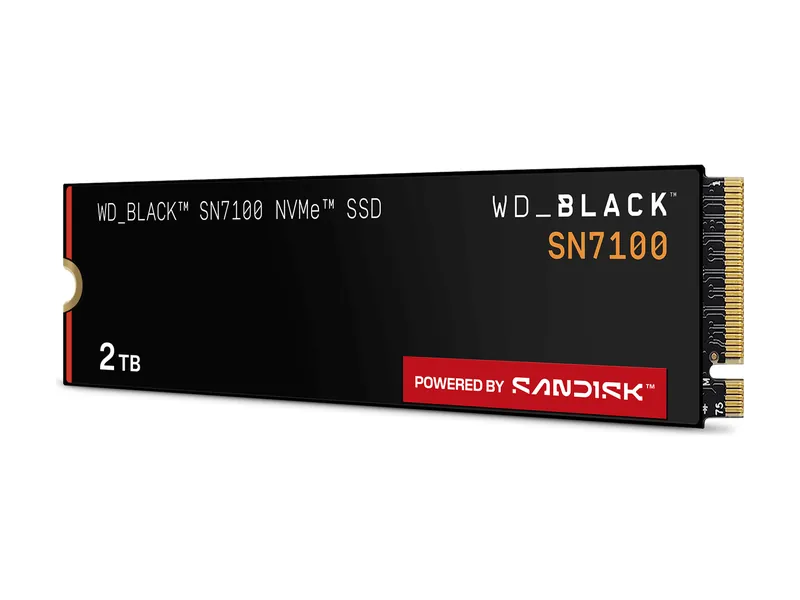
WD_BLACK SN7100 2TB (WDS200T4X0E) · 3 of 4
PCIe 4.0 x4 · M.2 2280 · DRAM-less · 7,250 MB/s
Get it if Compact 2-bay and 4-bay NAS enclosures with cramped M.2 slots where lower thermal output matters more than DRAM-buffered random writes.
Skip it if You run heavy multi-user database writes or continuous virtual machine snapshots.
Near-flagship Gen4 speeds without a DRAM cache.
PCIe 4.0 x4 · M.2 2280 · DRAM-less · 7,250 MB/s
| Interface | PCIe 4.0 x4 · NVMe 2.0 (SanDisk) |
|---|---|
| Sequential read | 7250 MB/s (SanDisk, 2TB) |
| Sequential write | 6900 MB/s (SanDisk, 2TB) |
| Random read (4K) | 1.0M IOPS (SanDisk, 2TB) |
| Random write (4K) | 1.4M IOPS (SanDisk, 2TB) |
| DRAM cache | None (uses host memory buffer, per Tom's Hardware) |
| NAND | SanDisk 218-layer TLC (BiCS8, per Tom's Hardware) |
| Endurance | 1200 TBW (SanDisk, 2TB) |
| Warranty | 5 years limited (SanDisk) |
| Form factor | M.2 2280, no heatsink |
| Brand note | Being renamed SANDISK Optimus GX 7100 (SanDisk, Jan 2026) |
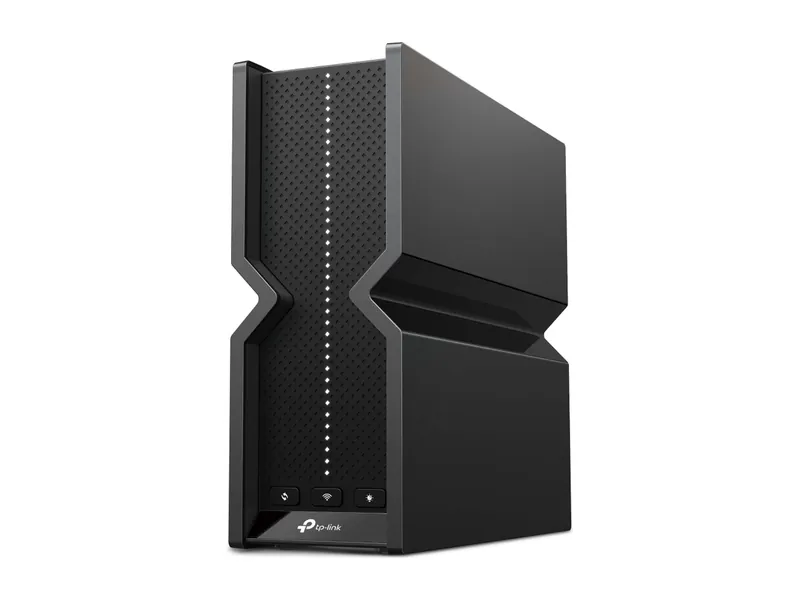
TP-Link Archer BE550 BE9300 Tri-Band Wi-Fi 7 Router · 4 of 4
Tri-band BE9300 · 5× 2.5G · USB 3.0
Get it if Home networks upgrading from 1GbE switching so a 2.5GbE NAS and desktop workstation can transfer backups at more than double gigabit speeds.
Skip it if You need 10GbE SFP+ fiber aggregation or rackmount managed VLAN switches.
Tri-band with 6 GHz and five 2.5G ports. The sensible Wi-Fi 7 buy.
Tri-band BE9300 · 5× 2.5G · USB 3.0
| Wi-Fi class | BE9300 tri-band (TP-Link) |
|---|---|
| Bands | 6 GHz + 5 GHz + 2.4 GHz (TP-Link) |
| Max link rate (6 GHz) | 5760 Mbps (TP-Link) |
| Multi-gig ports | 1× 2.5G WAN + 4× 2.5G LAN (TP-Link) |
| USB | 1× USB 3.0 (TP-Link) |
| Mesh | EasyMesh compatible (TP-Link) |
| Size | 3.0 × 9.1 × 8.0 in (TP-Link) |
Should you buy UGREEN NASync or Synology in 2026? Choose UGREEN NASync (such as the 4-bay DXP4800 Plus or 2-bay DXP2800) if you want modern Intel processors with QuickSync hardware video transcoding, built-in 2.5GbE and 10GbE Ethernet, an aluminum chassis, and unrestricted support for third-party NVMe SSDs like the Samsung 990 PRO 2TB. Choose Synology (DS923+ or DS423+) if turnkey DSM 7.2 software, SHR mixed-capacity drive arrays, and native cloud backup suites outweigh raw hardware specs.
| Ecosystem / Component | Processor & Transcoding | Built-In Network Ports | Operating System & RAID | NVMe SSD Policy | Best For |
|---|---|---|---|---|---|
| UGREEN NASync (DXP2800 / DXP4800 Plus) | Intel N100 / Pentium Gold 8505 with QuickSync iGPU | Dual 2.5GbE (DXP4800 Plus adds 10GbE) | UGOS Pro (or bootable TrueNAS / Unraid) | Open third-party M.2 NVMe cache and storage pools | Plex/Jellyfin 4K transcoding, Docker, and multi-gig LAN |
| Synology Plus (DS423+ / DS923+) | Intel Celeron J4125 (DS423+) or AMD Ryzen R1600 (DS923+, no iGPU) | Dual 1GbE (DS923+ supports optional 10GbE module) | Synology DSM 7.2 with Synology Hybrid RAID (SHR) | Storage pools officially locked to Synology-branded NVMe | Turnkey office backups, mixed drive sizes, and non-technical users |
| Samsung 990 PRO 2TB (NVMe Pick) | Samsung Pascal controller with 2 GB LPDDR4 DRAM | PCIe 4.0 x4 M.2 2280 | Works as UGOS Pro NVMe pool or read/write cache | Up to 1,200 TBW endurance rating | Fast Docker appdata, Immich thumbnails, and SMB cache |
| TP-Link Archer BE550 (2.5GbE Router Pick) | Tri-Band Wi-Fi 7 + multi-gig wired backplane | 1x 2.5GbE WAN + 4x 2.5GbE LAN | Standard web UI + EasyMesh | N/A | Eliminating the 115 MB/s 1GbE bottleneck to your NAS |
As a research-based hardware publication without an in-house lab bench, we evaluate NAS enclosures, NVMe cache drives, and multi-gig routers by comparing manufacturer engineering datasheets, PCIe lane allocations, network switch backplanes, and independent storage endurance data from TechPowerUp and StorageReview.
UGREEN NASync enclosures include 2.5GbE or 10GbE Ethernet ports, DDR5 or upgradable DDR4 memory, milled aluminum bodies, and Intel processors with QuickSync video engines as standard equipment. Comparable Synology Plus models still ship with 1GbE ports and older CPUs unless you purchase proprietary add-in network cards.
In addition, UGREEN leaves the BIOS unlocked on its Intel-based models so advanced users can boot TrueNAS Scale, Unraid, or Proxmox from an internal SSD while keeping the stock UGOS Pro system drive intact.
Synology DSM 7.2 remains the gold standard for non-technical households and small offices because Synology Hybrid RAID (SHR) lets you combine different hard drive capacities without wasting space, and packages like Active Backup for Business, Hyper Backup, and Synology Drive work reliably out of the box.
If you do not want to maintain Docker Compose files for photo backups or workstation image recovery, Synology’s software polish saves hours of administration time despite its slower 1GbE default networking.
UGREEN NASync officially supports third-party M.2 2280 NVMe SSDs like the Samsung 990 PRO 2TB and WD_BLACK SN850X for both read/write caching and dedicated all-flash storage pools. Synology DSM 7.2 allows third-party NVMe drives for cache, but restricts native M.2 storage volumes to Synology-branded SSDs without command-line scripts.
Yes, connecting a 2.5GbE NAS to a standard 1GbE router caps your file transfer speeds at roughly 115 MB/s. Upgrading to a multi-gig router such as the TP-Link Archer BE550, which includes five 2.5GbE ports, increases real-world SMB transfer speeds to around 280 MB/s over standard Cat5e or Cat6 cables.
Yes, UGREEN NASync models use Intel processors with integrated QuickSync media engines that support hardware-accelerated 4K HEVC and AV1 transcoding in Plex and Jellyfin. Storing your Docker containers and Immich database on an internal Samsung 990 PRO NVMe pool makes thumbnail scrolling and local AI facial recognition near-instantaneous.
Image credits: Samsung 990 PRO 2TB — Samsung · WD_BLACK SN850X 2TB heatsink — SanDisk · WD_BLACK SN7100 2TB — SanDisk · Archer BE550 — TP-Link.