ASUS ROG Strix OLED XG27AQWMG review
A bright OLED for people who don't game in a cave. Just keep the lamps out of the glossy screen.
We may earn a commission when you buy through our links. As an Amazon Associate I earn from qualifying purchases. Affiliate disclosure
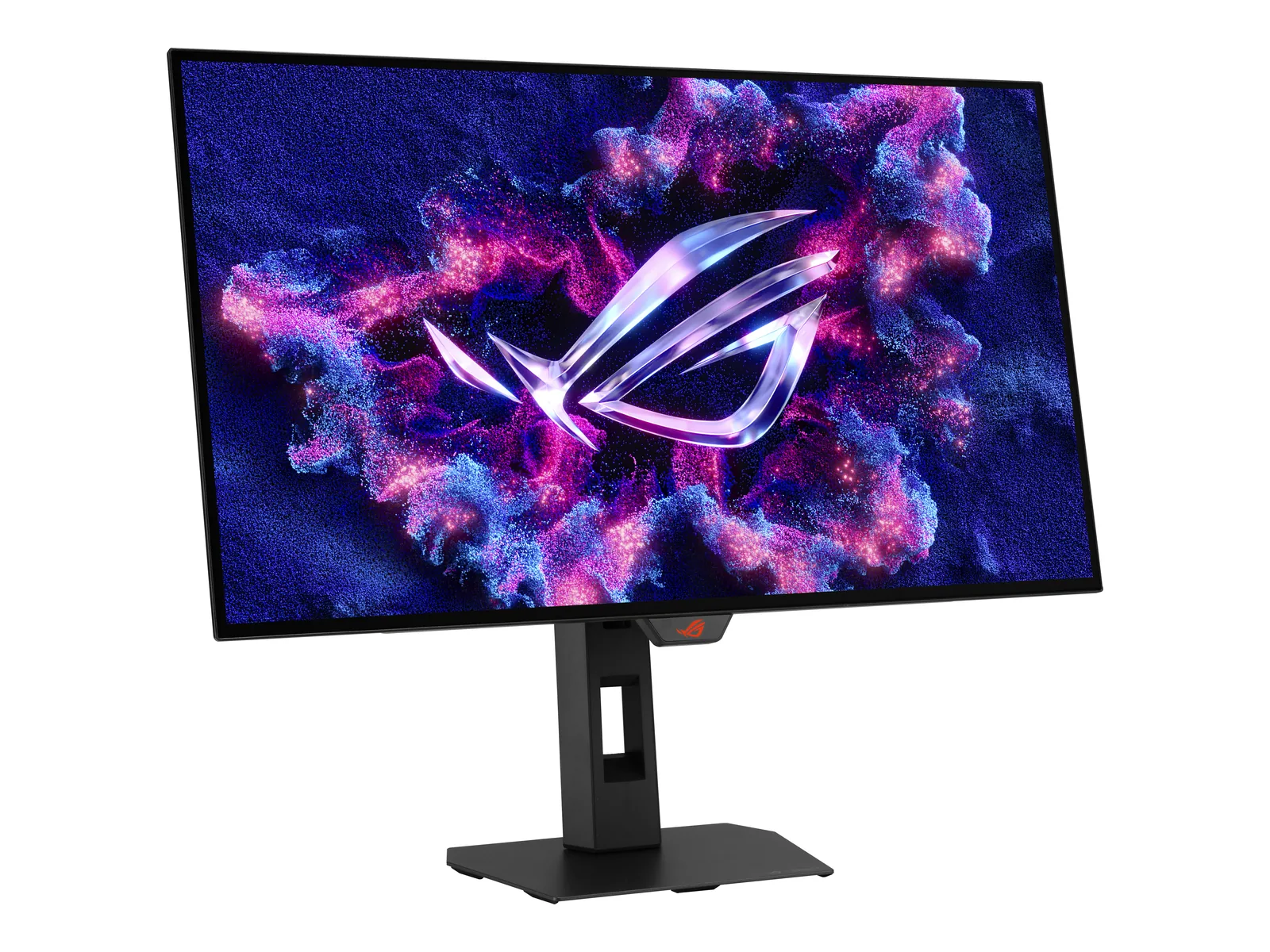
Buy.
Buy it if you want OLED that holds up with the lights on: bright for an OLED, 280Hz, full-bandwidth HDMI 2.1 and a USB hub. The glossy screen is the catch. Mind what's behind you.
Buy it if You game at 1440p in a normally lit room, want OLED motion and contrast, and plug in a console too.
Skip it if A window or lamp sits behind your chair. Or VRR flicker in dark loading screens would drive you nuts.
Strengths
- Bright for an OLED — 557 nits SDR in Tom's measurement
- 280Hz over HDMI 2.1 without compression (RTINGS)
- USB hub, full stand adjustment, 3-year burn-in warranty
Keep in mind
- Glossy coating reflects anything bright behind you
- Noticeable VRR flicker (RTINGS)
- No speakers
Picture
This is the OLED for a lit room. Tom’s Hardware measured 557 nits in SDR and 653 in HDR at a 25% window. Dell rates the Alienware AW2726DM at 200 nits typical SDR. One is a measurement, the other a spec, so read the gap as a hint, not a score. TFTCentral measured 585 nits peak SDR and 354 nits on a full white screen. ASUS lists DisplayHDR 500 True Black and 99.5% DCI-P3.
The panel is a Tandem WOLED. Per RTINGS, bright colors don’t hit the same brightness as pure white. That’s typical of WOLED.
The glossy question
ASUS calls the coating TrueBlack Glossy. Glossy keeps blacks deep and images crisp, but reflections are sharp. RTINGS says the main difference from the LG 27GX700A-B, a similar 280Hz Tandem OLED, is the screen coating. Bright room with lamps behind you? The matte LG is the safer pick.
Gaming
280Hz, 0.03ms GtG rated. RTINGS reports 280Hz over HDMI with no compression, or over DisplayPort with DSC. That’s why it’s a strong console match too. Tom’s praised its smooth response and low input lag. The catch, per RTINGS: noticeable VRR flicker, most visible in dark, uneven frame-rate scenes.
Design and ports
One DisplayPort 1.4 with DSC, two HDMI 2.1, a headphone jack and two USB 3.2 Gen 1 ports (ASUS). The stand adjusts 110 mm in height, plus tilt, swivel and pivot. No speakers.
Burn-in
OLED pixels can burn in under static images. ASUS covers panel burn-in for three years.
How this review works
ASUS specs checked against published measurements from Tom’s Hardware, RTINGS and TFTCentral. We don’t run our own lab tests.
Plan the rest of the desk
Check room and panel requirements. Review the seasonal monitor watchlist.
Specs
| Screen | 26.5-inch viewable Tandem WOLED, TrueBlack Glossy coating (ASUS) |
|---|---|
| Resolution | 2560 × 1440 |
| Refresh rate | 280Hz over DisplayPort (DSC) and HDMI 2.1 (ASUS) |
| Response time | 0.03ms GtG (manufacturer) |
| HDR | DisplayHDR 500 True Black · 1,500-nit HDR peak (ASUS) |
| SDR brightness | 557 nits measured, 25% window (Tom's Hardware) |
| Color | 99.5% DCI-P3 (ASUS) |
| Adaptive sync | FreeSync Premium Pro · G-SYNC Compatible · VESA AdaptiveSync 280Hz (ASUS) |
| Ports | 1× DisplayPort 1.4 (DSC) · 2× HDMI 2.1 (FRL) · headphone out (ASUS) |
| USB hub | 2× USB 3.2 Gen 1 Type-A (ASUS) |
| Stand | Height 0–110 mm, tilt, swivel, pivot · VESA 100 (ASUS) |
| Warranty | 3 years, panel burn-in included (ASUS) |
| Color gamut | 99.5% DCI-P3 (ASUS) |
Manufacturer specs, unless a row names another source.

Sources
- ASUS ROG — Strix OLED XG27AQWMG tech specs
- Tom's Hardware — Asus ROG Strix XG27AQWMG review (Jan 22, 2026)
- RTINGS — ASUS ROG Strix OLED XG27AQWMG review
- TFTCentral — Asus ROG Strix XG27AQWMG review
Image credits: ASUS ROG Strix OLED XG27AQWMG — ASUS.