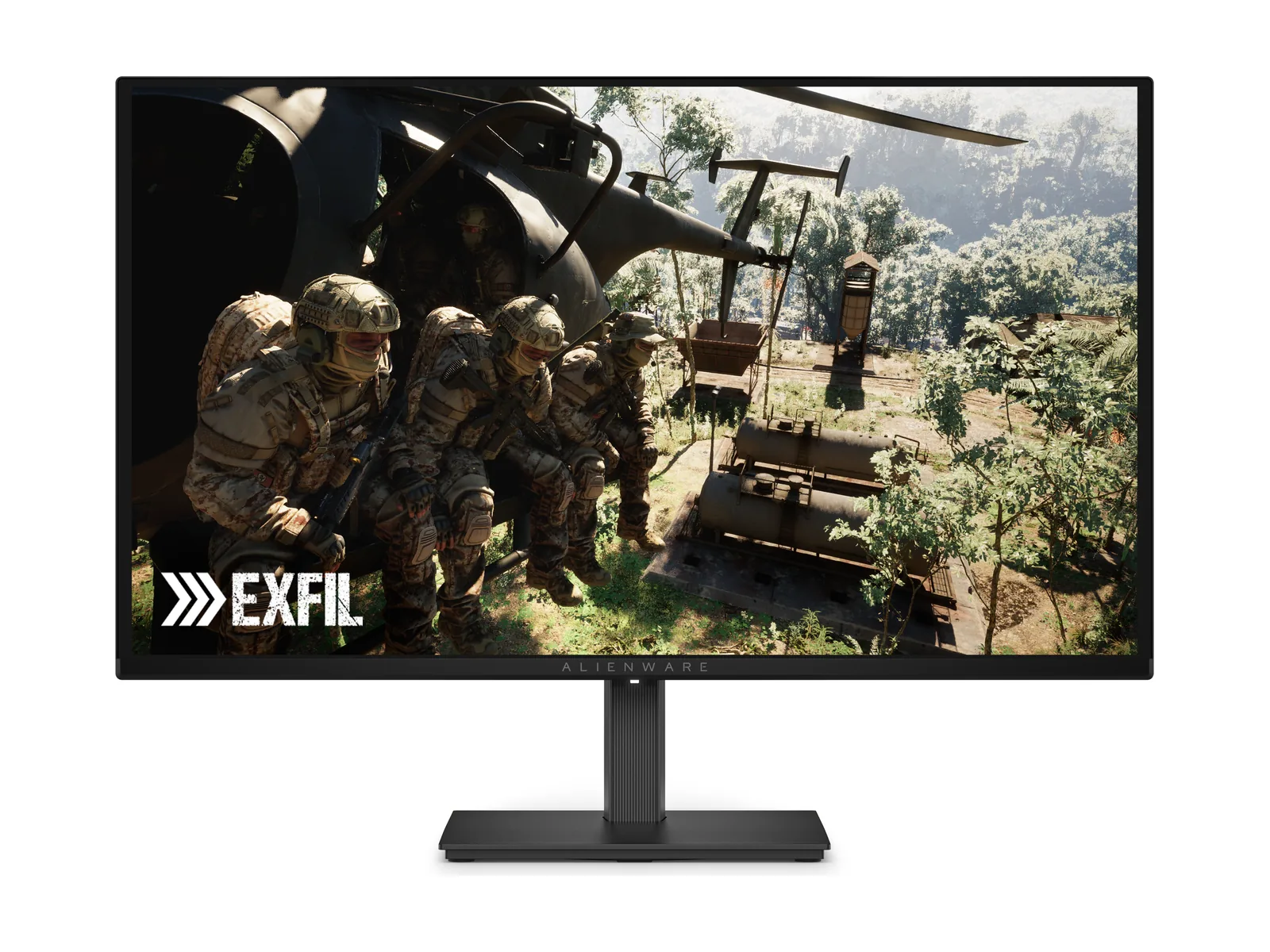
Alienware AW2726DM review
Buy it for the blacks, not the brightness. A 240Hz QD-OLED that belongs away from the window.
We may earn a commission when you buy through our links. Affiliate disclosure
Buy.
Buy it for evening gaming: perfect blacks, rich color and 240Hz motion. Bright-room HDR and USB convenience are the trade-offs. This is a room-dependent recommendation, not a universal one.
Buy it if You game at 1440p with the lights low. OLED blacks and 240Hz are the draw.
Skip it if Your screen faces a window. Or bright HDR and a USB hub are on your must-have list.
Strengths
- Perfect blacks and rich color, on par with pricier OLEDs
- Very low input lag and clean motion at 240Hz
- Full stand adjustment and a 3-year burn-in warranty
Keep in mind
- About 200 nits in SDR and 400 in HDR — dim for an OLED
- Blacks look purplish in a bright room
- No USB ports, no speakers, no sRGB mode
Picture
This is why you buy OLED: self-lit pixels eliminate gray glow and halos. Tom’s Hardware measured 111.51% DCI-P3 gamut volume.
Dell rates brightness at 200 nits SDR and 400 for small HDR highlights; reviewers measured roughly that. Give it dim or moderate light, not a sunlit desk. Bright-room blacks turn purplish, per RTINGS, a trait of this QD-OLED coating. HDR looks good, but its highlights will not light up the room.
Gaming
Tom’s Hardware measured low input lag and clean motion at 240Hz. RTINGS reports near-instant response and FreeSync.
Want all 240Hz? Use DisplayPort. HDMI gives consoles 1440p 120Hz; RTINGS found downscaled 4K 60Hz support, but no 4K 120Hz. No black-frame insertion.
Design and ports
The stand gets the basics right: height, tilt, swivel, pivot. One DisplayPort 1.4, two HDMI, a headphone jack (TFTCentral). No USB hub or speakers.
Burn-in
An OLED is not a set-and-forget noticeboard: static images risk burn-in. Dell includes pixel-refresh tools and a three-year burn-in warranty.
How this review works
Dell specs checked against published lab measurements and reviews.
Specs
| Screen | 26.5-inch viewable (sold as 27-inch) QD-OLED, anti-reflective coating |
|---|---|
| Resolution | 2560 × 1440 |
| Refresh rate | 240Hz over DisplayPort · 120Hz over HDMI |
| Response time | 0.03ms GtG (manufacturer) |
| HDR | HDR10 · 400-nit peak at 10% window (manufacturer) · no DisplayHDR certification |
| SDR brightness | 200 nits typical (manufacturer) |
| Adaptive sync | FreeSync Premium · VESA AdaptiveSync |
| Ports | 1× DisplayPort 1.4 (DSC) · 2× HDMI (up to 1440p 120Hz) · headphone out |
| USB hub | None |
| Stand | Height, tilt, swivel and pivot |
| Warranty | 3 years, burn-in included (Dell) |
Manufacturer specs.