
What changed, and when?
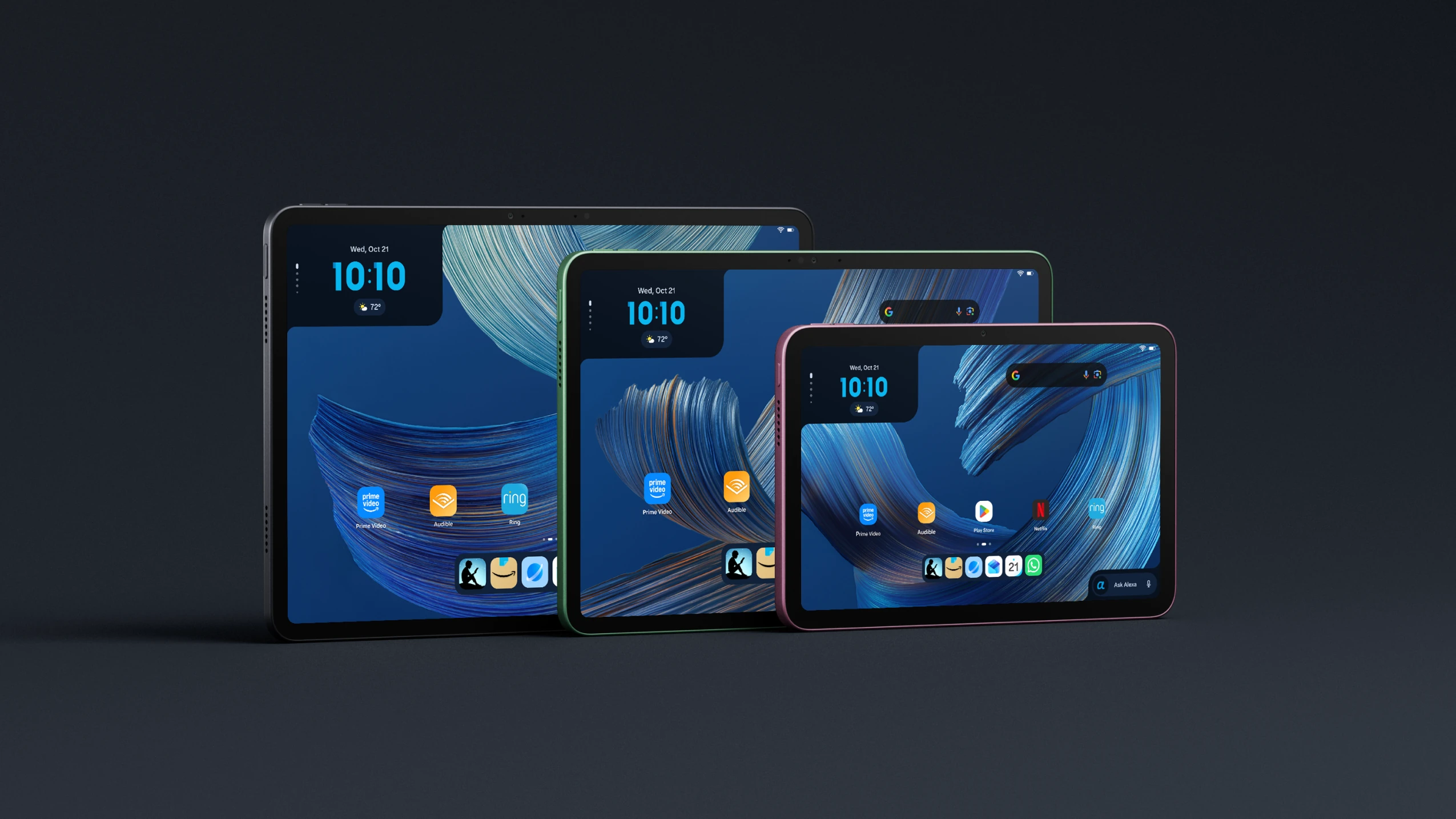
As of Oct 15, 2026, Amazon’s Alexa Tablets are replacing the Fire tablet line, bringing Android and full Google Play Store access. Amazon announced the three models on October 8 and said U.S. shipments would begin October 14. The lineup is Alexa Tablet 12 Pro, Alexa Tablet 11 and Alexa Tablet 8.
CNBC reported the Fire line’s phaseout. Amazon told WIRED it would stop shipping Fire tablets over the following month or two. Check your current tablet’s own support date before treating the new lineup as a reason to replace it.
Amazon lists Google Play apps including YouTube, Netflix, Gmail and Google Docs, alongside Prime Video, Kindle, Audible, Amazon Music and Amazon Luna. Alexa+ is built in. Make a list of the apps you actually use and check their availability before choosing a replacement.
Google Play access also does not establish a clean home screen. In The Verge’s October 15 review, David Pierce reports substantial Amazon content and advertising, including a home-screen ad widget that cannot be removed. That is his review finding; our recommendation here is research-based, not lab-tested.
Should Fire owners switch now? Check security dates first
Start with Amazon’s Fire security-update table. Identify your exact model, generation and model year; Amazon says owners can find their device in Manage Your Devices.
For a tablet bought new on Amazon.com with Amazon as the seller, Amazon promises security updates for at least four years from purchase or through the listed date, whichever is later. For purchases elsewhere, the listed table date applies.
The following are Amazon’s “at least through” dates as of Oct 15, 2026, rather than a statement that support ends on those dates:
| Fire model and model year | Security updates at least through |
|---|---|
| Fire HD 8, HD 8 Plus or HD 8 Kids — 12th generation, 2024 | December 31, 2029 |
| Fire HD 8, HD 8 Kids or HD 8 Kids Pro — 12th generation, 2022 | January 28, 2029 |
| Fire HD 8 Plus — 12th generation, 2022 | July 30, 2029 |
| Fire 7 or Fire 7 Kids — 12th generation, 2022 | December 31, 2029 |
| Fire Max 11 — 13th generation, 2023 | July 31, 2030 |
| Fire HD 10, HD 10 Kids or HD 10 Kids Pro — 13th generation, 2023 | December 31, 2029 |
If your model remains covered and runs the apps you need, keeping it is a reasonable choice. The end of a product line and your individual security-update commitment are separate checks. Do not assume an existing Fire tablet will gain the new tablets’ software or Google Play access.
Which size fits your use?
Amazon’s announcement gives the practical size split:
| Model | Announced display | What to check before choosing |
|---|---|---|
| Alexa Tablet 12 Pro | 12-inch class, 120Hz, 3:2 | Whether you want the largest screen, the optional Nanomatte finish, or its exclusive Pro Pen and Pro Keyboard accessories |
| Alexa Tablet 11 | 11-inch, 90Hz, 16:10 | Whether an 11-inch screen fits your reading, video and app use without needing the Pro’s exclusive accessories |
| Alexa Tablet 8 | 8.7-inch; tablet weighs 329 g | Whether the smaller screen fits how and where you carry and use a tablet |
Amazon Developer lists the 12 Pro’s exact panel as 11.95 inches, 2800 × 1840 IPS. The “12” name is its screen-size class.
Pierce’s Verge review praises the Nanomatte display. Treat that as a published review observation, then decide whether that finish and the Pro accessories address a need you have. They are not features shared by every model.
Check your Wi-Fi before buying a router
Only Alexa Tablet 12 Pro supports the 6 GHz band. The Amazon Developer specifications distinguish the models:
- 12 Pro: Wi-Fi 6E on 2.4, 5 and 6 GHz.
- 11: Wi-Fi 6 on 2.4 and 5 GHz; no 6 GHz.
- 8: Wi-Fi 6 on 2.4 and 5 GHz; no 6 GHz.
These specifications mean a 6 GHz-capable router offers that band to the 12 Pro, while the 11 and 8 use 2.4 or 5 GHz. A working Wi-Fi 6 router already serves those bands. A new tablet does not, by itself, establish a need for Wi-Fi 7.
Check whether your existing connection reaches the places where you use the tablet. If coverage is reliable, keep the router. If coverage is the problem, use our mesh Wi-Fi guide and Wi-Fi 7 router guide to decide which network layout fits the gap, rather than buying a router because the tablet is new. This is a conclusion from the listed bands, not a compatibility test with these tablets.
Our recommendation: switch for an app or screen you need
Keep a supported Fire tablet that still does its job. Consider an Alexa Tablet when Google Play access, a particular screen size or a Pro-only accessory solves a specific problem, and when the Amazon content and advertising described in the published review are acceptable to you.
Choose a router or mesh system only after identifying a coverage problem. Compare router fit and skip cases or plan a mesh layout; neither purchase is required by this tablet announcement.
For another home-device announcement with the same keep-or-replace question, read our Apple home-device compatibility checks. How we research hardware explains how we separate manufacturer specifications, published reviews and our buying advice.